TECH
WhatsApp Hidden Features: WhatsApp isn't just for gossip, use it in these 5 ways, 99% of people are unaware

5 WhatsApp Tricks: WhatsApp is primarily used to facilitate chatting and communication. Over time, calling features were added, and now people use it to make calls. However, WhatsApp isn't just that. You can use it for a total of five other purposes, from cloud storage to a personal notes app.
5 WhatsApp Hacks: Do you also use WhatsApp only for sending messages, calls or audio? If so, then you are not using the real power of WhatsApp at all. In fact, if you want, you can use WhatsApp for 5 different tasks apart from the basic tasks mentioned above. This will not only help you in using WhatsApp better but you will also not need to use multiple apps separately.
Let us tell you that these tasks include making UPI payments, sending or saving files up to 2GB, using AI, following official channels to keep yourself up-to-date and creating personal notes etc.
No other apps are required for UPI payments
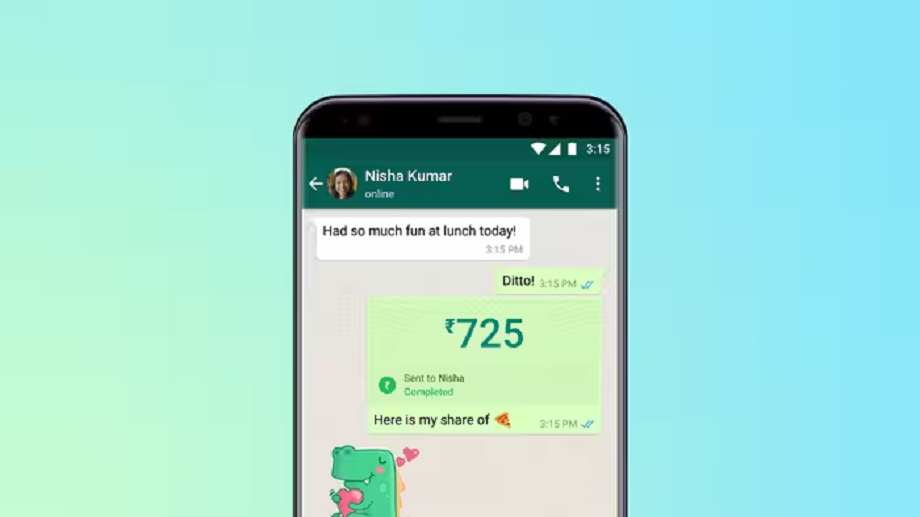
If you use other payment apps while you're using WhatsApp, you're just wasting your phone's storage. The payments feature has been available on WhatsApp for quite some time, and it's easily set up in Settings.
After this, you'll see a camera icon at the top of WhatsApp's home screen. Clicking on it will allow you to scan any QR code and make a payment. This way, you can use WhatsApp for more than just chatting, as well as making payments.
Use a virtual assistant
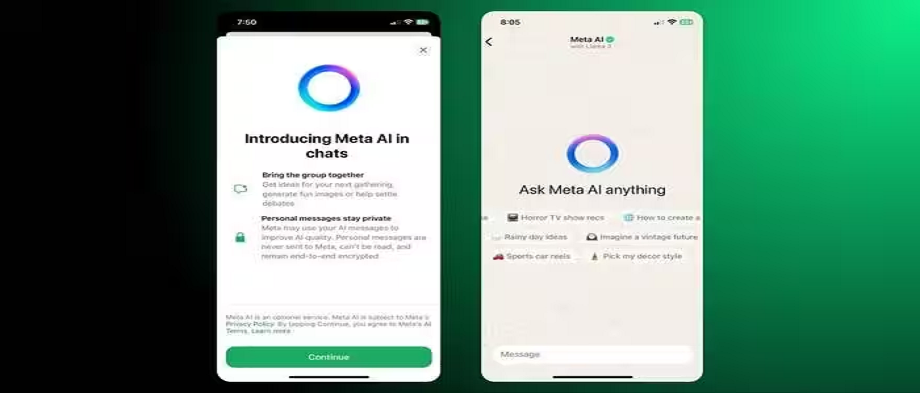
- Just like with a separate payment app, WhatsApp also eliminates the need to install a separate AI app. This is because WhatsApp now supports Meta AI.
- You can use AI while chatting on WhatsApp by searching for Meta. It can help you get information, draft emails or resumes, ask coding questions, or even generate realistic images with just a prompt.
- This way, WhatsApp also eliminates the hassle of installing a separate AI app and wasting your phone's storage.
Send or save files up to 2GB
You can use WhatsApp as a proper cloud storage or to send heavy files up to 2GB to someone. Actually WhatsApp now supports heavy files up to 2GB. With its help, you can not only send heavy files to someone but also create a group by including only yourself and save your personal files or photos and videos in it. In case of photos and videos, you also get the option to save photos and videos in HD quality or in original resolution in file format. In this way, you can also use WhatsApp as cloud storage.
Stay up-to-date with WhatsApp
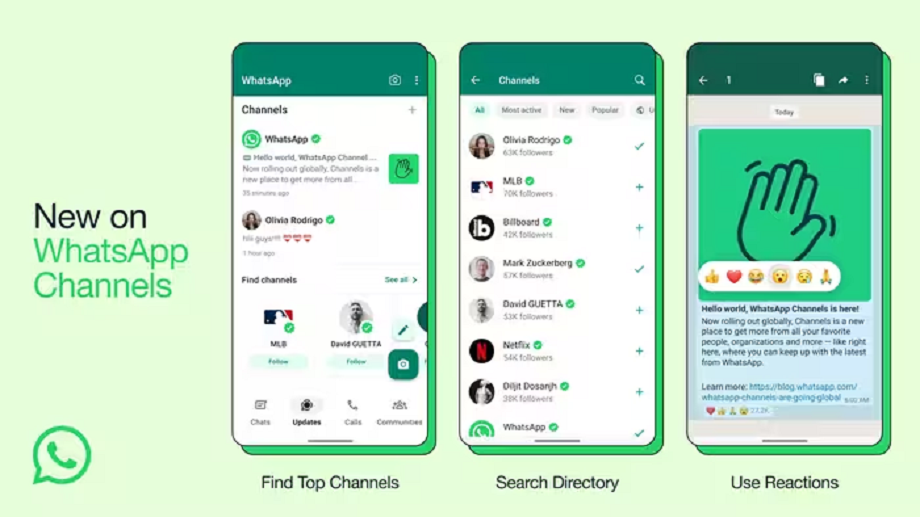
Many people keep multiple news apps on their phones to stay up-to-date, but you can do the same thing on WhatsApp. Use WhatsApp's Channels feature to help you follow channels related to your favorite topics, or even channels from mainstream news portals that provide daily news. These channels will provide periodic updates and links to the latest news on your favorite topics. This way, with WhatsApp, you don't need to keep a dedicated news app on your phone.
Say goodbye to the Notes app

- You can also use WhatsApp as a notes app. Its special feature is that you can create notes in text, audio, or video formats.
- Such features are mostly available in paid notes apps and while using WhatsApp as a notes app, you do not need to spend any money.
- Create a new group on WhatsApp and don't save anyone in it except yourself. You can name this group "Notes" and add a matching icon. You can also lock it using WhatsApp's built-in feature. This way, you'll have a Notes app built right into WhatsApp.
- In this group, you will be able to note down important things in the form of text or video and audio and you will never lose these notes.