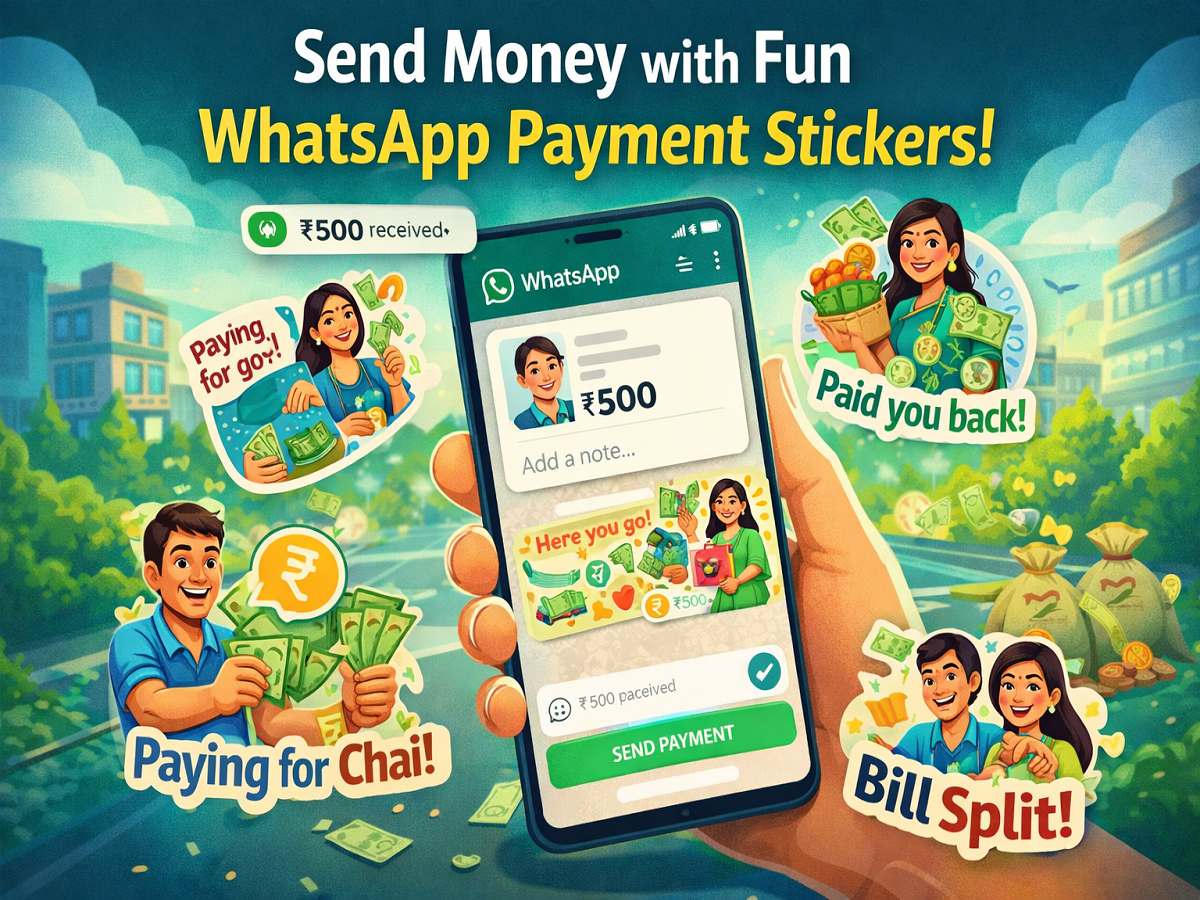
In a move to make digital transactions more engaging, WhatsApp has rolled out a unique feature called Payment Stickers. Designed to add a creative touch to money transfers, this feature allows users to send expressive stickers along with their payments. The initiative blends financial transactions with visual communication, making routine payments more interactive and enjoyable.
The new sticker pack has been specially created for users in India and reflects diverse cultural expressions associated with money exchanges. What makes this launch even more noteworthy is the collaboration with five talented Indian women artists who designed these stickers. This effort not only enhances user experience but also promotes local artistic talent on a global platform.
What Are WhatsApp Payment Stickers?
Payment Stickers are a fresh addition to WhatsApp’s existing sticker feature. While users have long been able to send stickers in chats, this new feature integrates them directly into the payment process. Now, instead of sending plain text while transferring money, users can attach visually expressive stickers that convey emotions like celebration, gratitude, or humor.
These stickers are especially useful for occasions such as birthdays, festivals, or casual money transfers between friends and family, where a simple payment can now feel more personal.
Artists Behind the Creative Stickers
The sticker pack has been crafted by five Indian creators, each bringing a unique artistic style to the platform. These include illustrators and designers such as Anjali Mehta, Anuja Pothireddy, Neeti, Oshin Silva, and Mira Felicia Malhotra. Their designs reflect everyday cultural moments and emotions associated with financial exchanges, making the stickers relatable for users across the country.
How to Set Up WhatsApp Payments
Before using Payment Stickers, users must first activate the payment feature on WhatsApp. Here’s how to get started:
- Open WhatsApp and tap on the three-dot menu in the top-right corner
- Go to the Payments section
- Complete the sign-up process
- Link your bank account using UPI
Once your account is successfully linked, you can start sending and receiving money directly within the app.
Step-by-Step Guide to Using Payment Stickers
Sending money with stickers is simple and can be done in just a few steps:
1. Open Chat
Launch WhatsApp and open the chat of the person you want to send money to.
2. Tap on Payment Option
Click on the Rupee icon in the message bar to initiate a payment.
3. Enter Amount
A new screen will appear where you can enter the amount you wish to send.
4. Add a Sticker
Below the amount field, you will see the “Add a note” option. Tap on the emoji icon and switch to the sticker section.
5. Download Sticker Pack
If you don’t have the payment stickers yet, tap on the “+” icon to browse and download the available packs.
6. Select Sticker
Choose the sticker you want to send along with the payment and proceed.
7. Complete Payment
Tap on “Next,” confirm the payment, enter your UPI PIN, and complete the transaction.
What Happens After Sending?
Once the payment is completed, the recipient receives both the money and the selected sticker as part of the notification. This adds a personalized touch to the transaction, making it more than just a financial exchange.
Why This Feature Matters
With the rapid growth of digital payments in India, platforms are constantly looking for ways to improve user engagement. By combining payments with expressive communication, WhatsApp is redefining how people interact during financial transactions.
Final Thoughts
The introduction of Payment Stickers by WhatsApp is a small but meaningful innovation that enhances the overall user experience. It turns routine money transfers into expressive moments, making digital payments more human and enjoyable. As more users adopt this feature, it is likely to become a popular way of adding emotion to everyday transactions.