TECH
Your Phone Storage Is Filling Up? These Simple Tricks Can Free Space Without Deleting Important Photos
Running out of storage has become a common smartphone problem. High-resolution photos, 4K videos, WhatsApp files, downloaded movies and unused apps can quickly consume the available space. When storage becomes almost full, the phone may also become slower and updates may fail.
But before deleting your important memories, there are several safer ways to recover storage.
Check what is actually using your storage
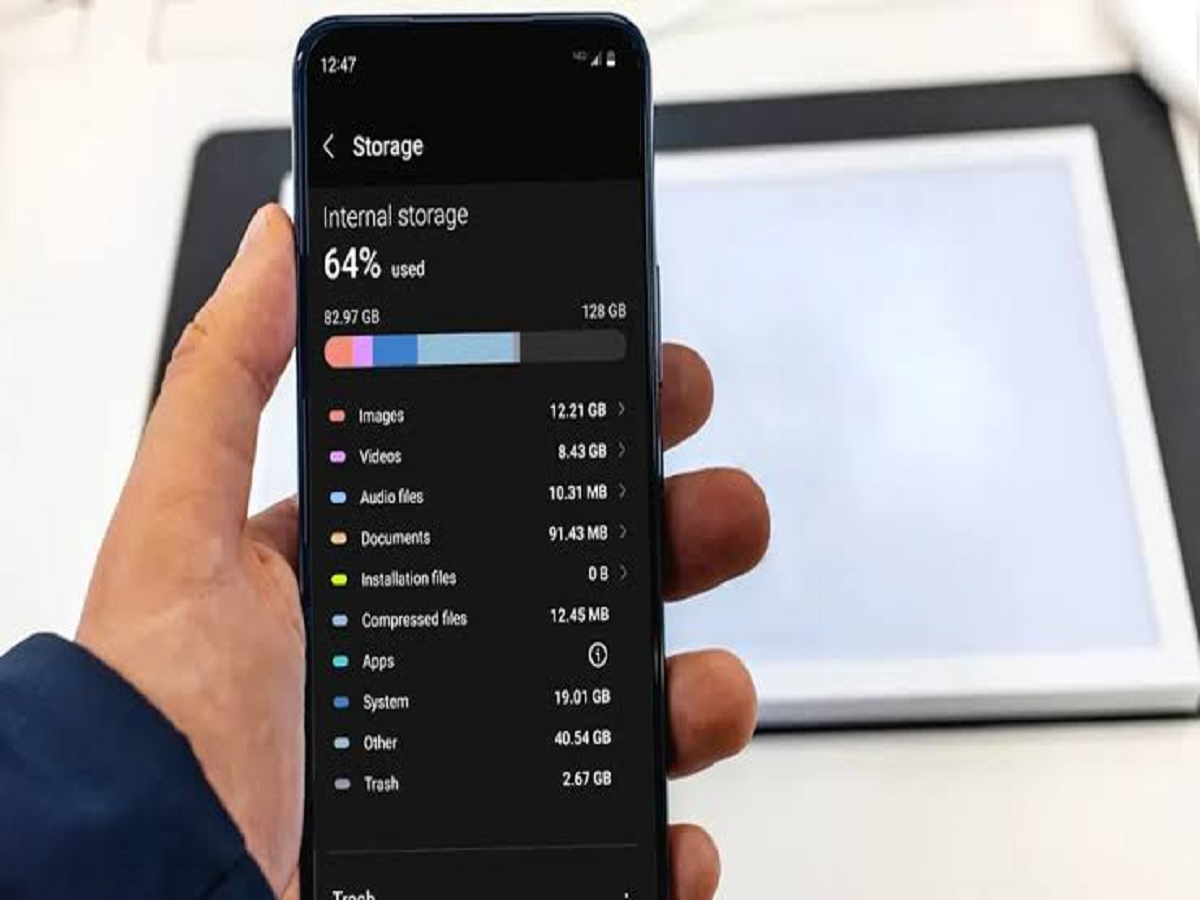
The first step is to find out where the space is going.
Open your phone's storage settings and check the categories consuming the most space. You may discover that videos, duplicate photos, downloaded files or a handful of large apps are responsible for most of the storage usage.
This is better than randomly deleting files.
WhatsApp can quietly consume gigabytes
WhatsApp media is one of the biggest reasons phones run out of storage. Videos, forwarded images, documents and voice messages can accumulate over several months.
Open WhatsApp's storage management section and review large files. You can delete unnecessary videos and documents while keeping important conversations and media.
Also consider disabling automatic downloads for media from groups you don't need.
Remove apps you rarely use
Many people install an app for a particular occasion and never open it again.
Go through your installed applications and remove games, shopping apps, editing tools and other software you no longer use. If you're unsure about an app, check when you last used it before deciding.
Some phones also offer an option to automatically remove or offload unused applications while retaining their associated data.
Clear unnecessary downloads
Your Downloads folder may contain old PDFs, images, installation files, documents and videos that you no longer need.
Sort files by size and date. Large files that have already served their purpose can often be deleted immediately.
Be careful with documents related to banking, insurance, education, work or government services before removing them.
Don't forget duplicate photos and videos
Modern smartphones make it easy to accidentally save the same photo multiple times.
Screenshots, edited versions and downloaded copies can also create unnecessary duplicates. Photo-management tools can help identify these files so you can retain the best version and remove the rest.
Cloud storage can help
If your phone contains thousands of photos and videos, cloud backup can provide another way to manage storage.
Once you have confirmed that important files are safely backed up, you can use your phone's storage-management options to remove locally stored copies where appropriate.
Never delete important photographs simply because you believe they are backed up—first verify that the backup is complete and accessible.
Clear cache—but don't expect miracles
Some applications accumulate temporary files known as cache. Clearing them can occasionally recover some storage, particularly for apps that handle large amounts of media.
However, clearing cache is not a magic solution. If an app is using several gigabytes because of downloaded content or saved media, clearing temporary files may free only a small amount.
Keep some free space available
A phone shouldn't ideally operate with almost zero storage remaining. The operating system needs free space for temporary files, updates and normal operations.
Instead of waiting until your phone displays a "Storage Full" warning, try to maintain a reasonable amount of free space.
The easiest monthly storage routine
Once a month, spend five minutes checking your storage:
- Delete unnecessary large videos.
- Review WhatsApp media.
- Remove unused apps.
- Clean old downloads.
- Delete duplicate screenshots and photos.
- Check large files.
- Confirm your important photos are backed up.
A small monthly cleanup can prevent the frustrating situation where your phone suddenly runs out of storage when you are trying to record an important video or install a major software update.