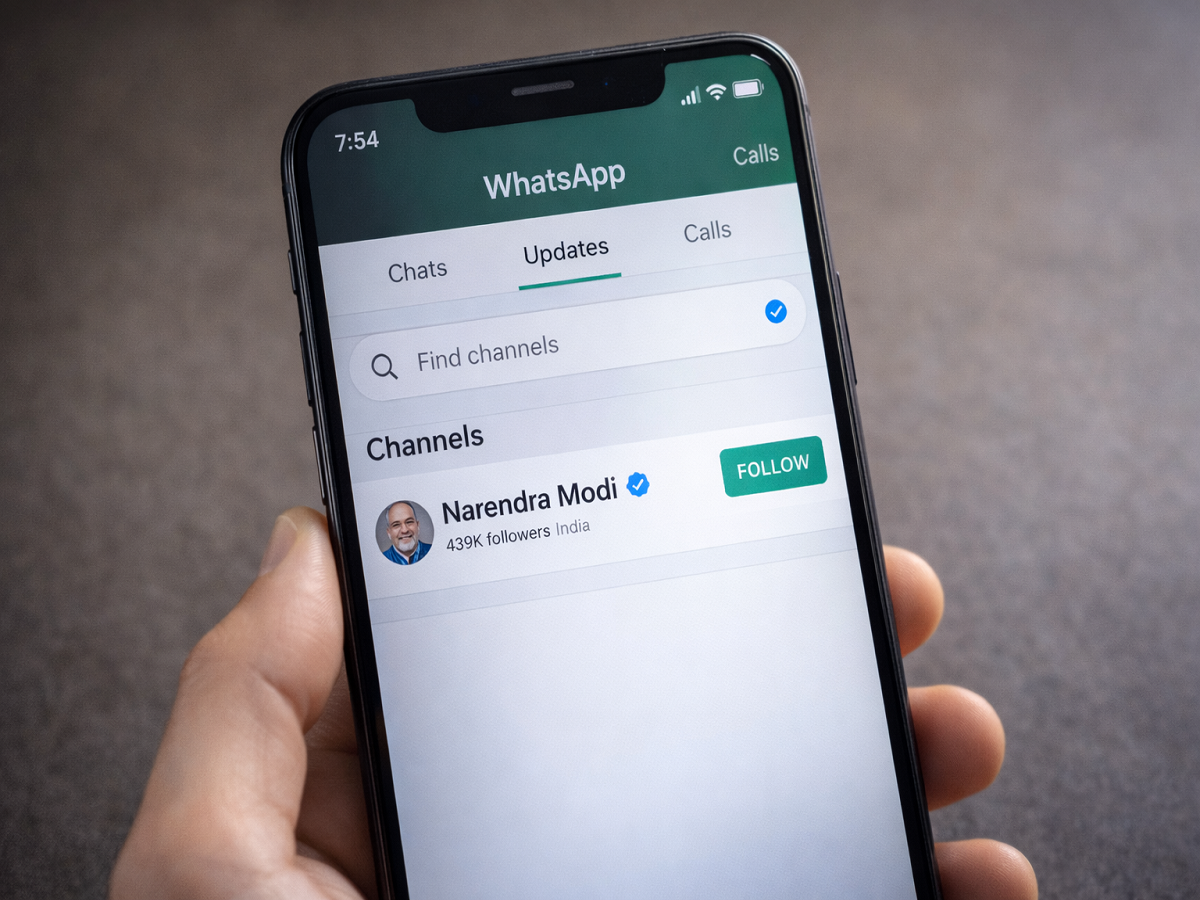
How to Follow a WhatsApp Channel: Step-by-Step Guide for Users in India
WhatsApp has rolled out its Channels feature in India, introducing a new way for users to receive updates from public figures, organizations, and institutions directly within the app. The feature is designed as a one-way broadcast tool, allowing administrators to share updates while followers can view content privately without revealing their phone numbers to others.
Launched by Meta Platforms, WhatsApp Channels aims to provide a secure and streamlined method of communication between creators and their audiences. Unlike traditional group chats, Channels focus purely on updates, ensuring privacy and reducing clutter.
Since its launch, several well-known Indian personalities and institutions have joined the platform. Notably, Narendra Modi created his official WhatsApp Channel and shared his first post shortly after joining. Prominent celebrities and even the India national cricket team have also started sharing updates through this feature.
If you want to follow a WhatsApp Channel to receive official updates, here is a clear and simple step-by-step guide.
What Is WhatsApp Channels?
WhatsApp Channels is a private broadcasting feature available within the Updates tab of the app. It allows users to follow public figures, brands, sports teams, or government officials without sharing personal details with other followers.
Key highlights of the feature include:
-
One-way communication (admins post, followers view)
-
Phone numbers of followers remain private
-
Channels are separate from personal chats
-
Updates appear under the dedicated “Updates” tab
This ensures a secure experience while staying informed.
How to Follow a WhatsApp Channel
Follow these simple steps to subscribe to your preferred Channel:
Step 1: Update WhatsApp
Make sure your WhatsApp application is updated to the latest version from the official app store. The Channels feature may not appear in older versions.
Step 2: Open the App
Launch WhatsApp on your smartphone.
Step 3: Go to the Updates Tab
You will notice a new “Updates” tab located next to the “Chats” section at the bottom of the screen.
Step 4: Tap on Updates
Once inside the Updates section, you will see Status updates from your contacts at the top.
Step 5: Find the Channels Section
Scroll down below the Status area to locate the “Channels” section.
Step 6: Select “Find Channels”
Tap on the “Find Channels” option to explore available Channels or search for a specific name.
Step 7: Follow the Channel
Search for the personality or organization you wish to follow. Once the official Channel appears, tap the “Follow” button. You will begin receiving updates whenever new content is posted.
What Happens After You Follow a Channel?
After subscribing, updates from that Channel will appear in your Updates tab. Notifications may be customized based on your preferences. You can mute or unmute Channels anytime without affecting your personal chats.
For example, users following Narendra Modi can receive official announcements and posts directly within WhatsApp. Similarly, sports enthusiasts can follow the India national cricket team for match-related updates.
Why WhatsApp Channels Matter
The introduction of Channels marks a significant expansion of WhatsApp’s functionality. Instead of relying solely on social media platforms, public figures and organizations now have a direct communication line within a widely used messaging app.
The feature is particularly useful for:
-
Receiving verified updates
-
Avoiding misinformation
-
Staying connected with public personalities
-
Following sports teams or brands
With privacy controls in place and a simplified interface, WhatsApp Channels aims to combine accessibility with security.
WhatsApp Channels offers a convenient and private way to stay informed about updates from leaders, celebrities, sports teams, and organizations. The setup process is simple, and following a Channel takes only a few seconds.
If you have not explored the feature yet, update your app and check the Updates tab today to discover Channels that match your interests.