TECH
Your Password May Not Be Enough Anymore: Passkeys Are Changing How We Log In to Apps and Websites
For years, internet users have been told to create strong passwords, avoid reusing them and change them whenever an account might be compromised. Yet password-related problems remain common. People forget login details, fall for fake sign-in pages and sometimes reuse the same password across multiple services.
Now, a different technology is gaining adoption across digital platforms: passkeys. Instead of asking you to remember a password, passkeys let you sign in using a cryptographic credential stored on your device or securely synchronised through a supported password manager.
The technology aims to make online accounts easier to access while reducing the risk of traditional password theft.
What Exactly Is a Passkey?
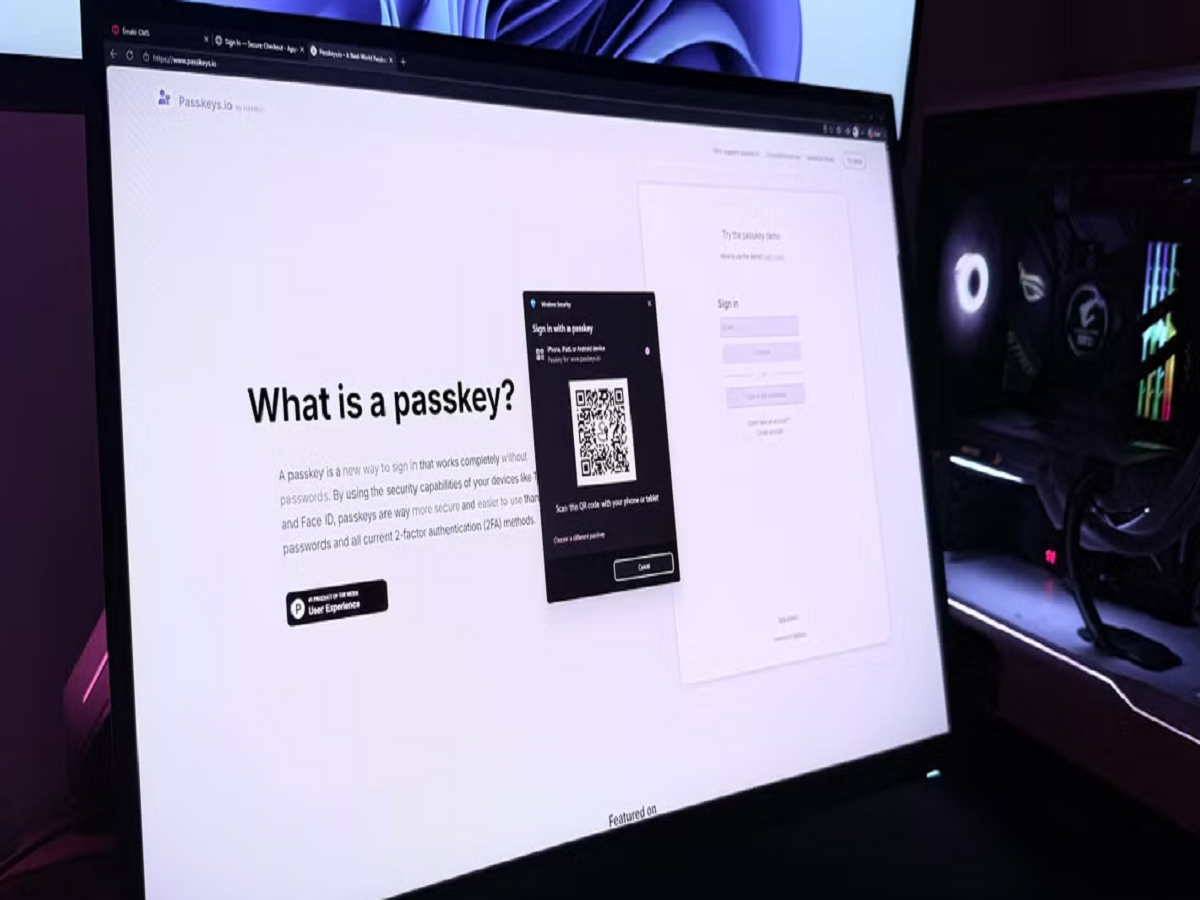
A passkey is a digital credential that allows you to sign in to a supported website or application without entering a conventional password.
When you create a passkey, your device or password manager generates a pair of cryptographic keys. One is stored by the service, while the other remains protected by your device or credential provider.
During login, the website checks a cryptographic response rather than asking you to submit a reusable password.
Depending on your device, you may confirm your identity using a fingerprint, facial recognition or your device's screen-lock PIN.
Importantly, your fingerprint or face is generally used to unlock the passkey locally. The website does not normally receive your biometric information as part of the passkey authentication process.
How Are Passkeys Different From Passwords?
Traditional passwords can be copied, guessed, reused or stolen through phishing websites. Even a strong password may be exposed if a user enters it on a fraudulent page.
Passkeys work differently because authentication relies on cryptographic credentials associated with the legitimate service.
This provides an important security advantage: passkeys are designed to resist many common phishing attacks because the authentication process is linked to the website or application for which the credential was created.
They can also reduce the frustration of remembering dozens of separate passwords.
However, passkeys do not make every account completely immune to attack. Device compromise, account-recovery weaknesses and other security problems can still create risks.
Why Are Technology Companies Adopting Passkeys?
Passkeys address two long-standing challenges: security and convenience.
For users, signing in may become as simple as confirming their identity on a trusted device. For service providers, passkeys can reduce dependence on password-reset systems and help prevent certain types of credential theft.
The technology is supported by major platforms and is increasingly available across websites, applications and password-management services.
However, availability varies. Some services support passkeys for every user, while others offer them only for selected accounts or login methods.
How Can You Set Up a Passkey?
The process varies by website, but the general steps are straightforward.
Step 1: Open the official website or application.
Sign in to your account using your existing method.
Step 2: Find the security settings.
Look for an option labelled Passkeys, Passwordless Sign-In or Security Keys. The exact wording depends on the service.
Step 3: Create a passkey.
Follow the on-screen instructions to save the credential to your supported device or password manager.
Step 4: Verify that it works.
If the service permits it, test the passkey during your next login before relying on it as your primary method.
Step 5: Review account recovery options.
Make sure you understand how to regain access if your phone is lost, replaced or damaged.
Only create passkeys through the genuine website or application. Never follow an unfamiliar link in a message claiming that your account must be upgraded immediately.
What Happens If You Lose Your Phone?
This is one of the most important questions to consider before switching to passkeys.
The answer depends on where the passkey is stored. Some passkeys can synchronise securely across devices through a supported credential provider. Others may be tied more closely to a particular device or security system.
If you lose your phone, you may still be able to sign in from another supported device if your passkeys are synchronised. Otherwise, you may need to use the service's account-recovery process.
For important accounts, maintain a reliable recovery method and keep your email account secure. Your email account often plays a major role in recovering access to other services.
Are Passkeys Completely Safe?
No digital security method is perfect, but passkeys can offer stronger protection against several common attacks than traditional passwords.
They are designed to prevent the credential from being reused on an imitation website. However, criminals may still try to trick users into approving malicious actions, taking control of their devices or revealing account-recovery information.
Follow these precautions:
-
Keep your phone and computer updated.
-
Use a strong device screen lock.
-
Secure your email and password-manager accounts.
-
Review devices and sessions associated with important accounts.
-
Avoid approving unexpected sign-in requests.
-
Keep recovery information current.
Passkeys should be considered part of a broader security strategy rather than a reason to ignore other precautions.
Should You Delete All Your Passwords?
Not immediately. Many websites still rely on passwords, and some do not support passkeys at all.
A sensible approach is to enable passkeys on important services that support them, particularly email, cloud storage and other accounts containing sensitive information.
For accounts that still require passwords, use unique credentials and store them in a reputable password manager. Where available, enable an additional authentication factor.
Gradually adopting passkeys can improve security without forcing you to change every account at once.
The Future of Online Login
The internet was built around passwords, but the weaknesses of that system have become increasingly difficult to ignore. Passkeys represent a shift towards authentication that relies less on secrets users must remember and more on secure credentials managed by their devices.
As more services adopt the technology, logging in may become both simpler and harder for criminals to exploit.
The transition will take time, and passwords will not disappear overnight. Nevertheless, passkeys are becoming an important option for anyone who wants to improve account security.
The Bottom Line
Passkeys offer a modern alternative to traditional passwords by combining cryptographic authentication with the convenience of a fingerprint, face scan or device PIN. They can reduce exposure to phishing and password theft, although account recovery and device security remain important.
Check whether your most important online services support passkeys, set them up through official settings and make sure you have a reliable recovery plan. A small change to the way you log in could make your digital accounts significantly harder to compromise.