Many smartphone users still believe that leaving a phone plugged in overnight will quickly damage its battery. Modern smartphones, however, are much smarter about charging than older devices.
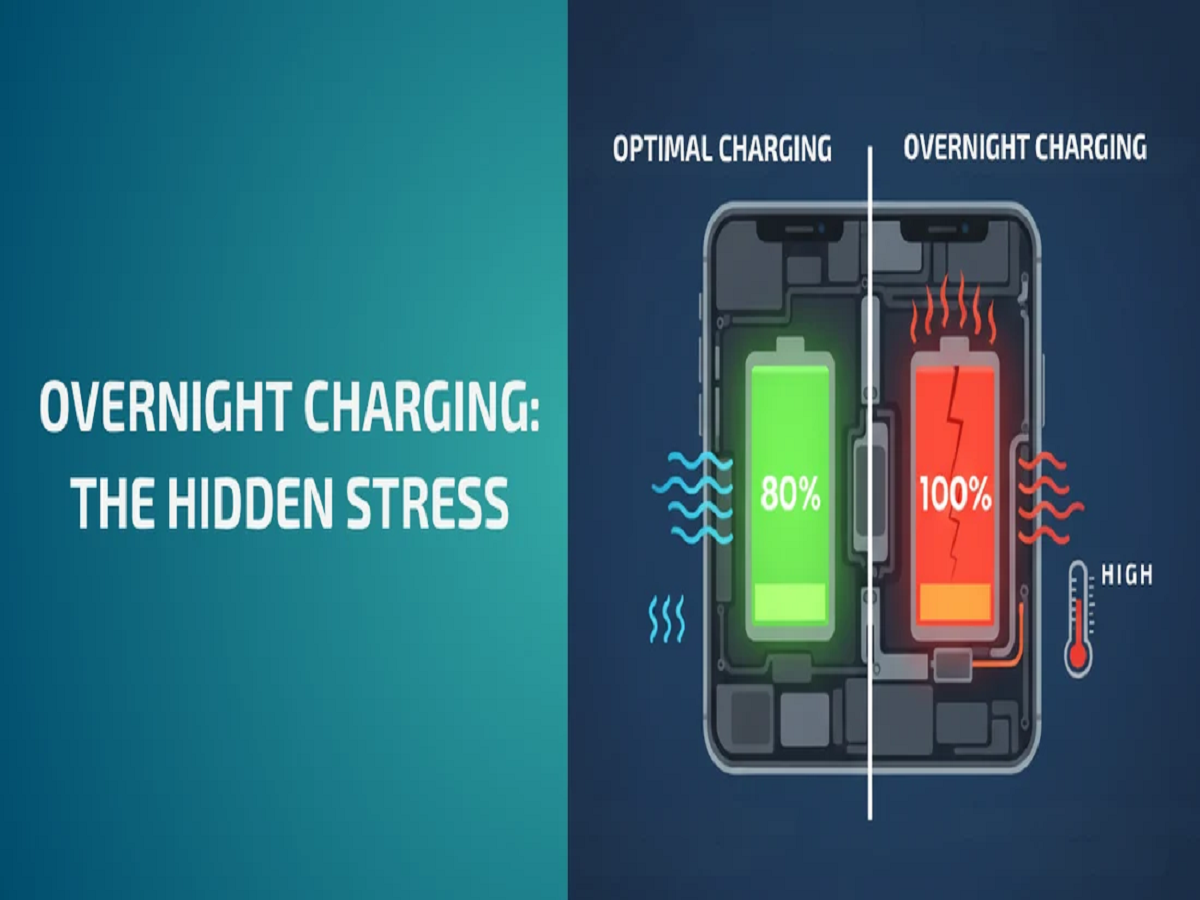
Today's phones use battery-management systems that can regulate charging, slow it down and stop active charging once the battery reaches its intended level. But that doesn't mean charging habits and temperature have no effect on battery health.
If you want your phone battery to retain its capacity for as long as possible, a few simple habits can make a difference.
What happens when your phone reaches 100%?
When a modern smartphone reaches full charge, its charging system does not simply continue pushing the same amount of power into the battery indefinitely.
The phone's charging circuitry manages the process and can reduce or stop charging when the battery reaches its target level. Many phones also use optimised or adaptive charging features that delay the final part of charging based on your usage pattern.
Therefore, leaving your phone connected overnight is generally not the battery-destroying practice many people assume it is.
The bigger enemy is heat
Temperature is much more important than simply leaving your charger connected.
Lithium-ion batteries degrade faster when exposed to excessive heat. This is why you may notice your phone becoming warm while charging, particularly when using demanding applications at the same time.
Avoid charging your phone:
-
Under a pillow or blanket
-
In direct sunlight
-
Inside a hot car
-
In poorly ventilated places
-
While running demanding games for long periods
Keeping the phone reasonably cool while charging can help protect long-term battery health.
Should you always charge up to 100%?
Not necessarily.
For people who want to maximise long-term battery longevity, avoiding keeping a lithium-ion battery at very high or very low charge levels for prolonged periods can be beneficial.
This is why many smartphones now offer features such as an 80% charging limit or adaptive charging.
If your phone provides such an option and you usually have easy access to a charger, using it can reduce battery wear over the long term.
What about letting the battery fall to 0%?
You don't need to deliberately drain a modern smartphone battery completely before charging it.
In fact, repeatedly allowing the battery to reach extremely low levels is not a good charging strategy.
Instead, topping up the battery whenever convenient is perfectly fine.
You do not need to wait until your phone reaches 1% before plugging it in.
Fast charging: Is it bad?
Fast charging itself is not automatically harmful.
Modern phones and chargers are designed to communicate with each other and regulate power delivery. However, fast charging can generate more heat, particularly when the battery is at a low charge level and the phone is accepting high power.
The important factor is therefore heat management rather than simply the existence of fast charging.
Using a compatible, good-quality charger and cable is preferable to using questionable accessories.
Why does battery health fall over time?
A smartphone battery naturally loses capacity as it goes through charging cycles and ages.
After years of use, the battery may not hold as much energy as it did when the phone was new. You may therefore notice that your phone needs to be charged more frequently.
This is normal for lithium-ion batteries and does not necessarily indicate that your charger or phone is defective.
Should you keep your phone between 20% and 80%?
The popular "20–80 rule" is a useful guideline, but it doesn't need to become an obsession.
If keeping your phone between approximately 20% and 80% is convenient, it can reduce the amount of time the battery spends at very high or very low charge levels.
But if you need 100% before leaving home, charging to 100% is perfectly reasonable.
The practical goal is to reduce unnecessary battery stress, not to constantly monitor the percentage.
One setting worth checking today
Open your phone's battery settings and look for options such as:
-
Optimised Charging
-
Adaptive Charging
-
Battery Protection
-
Charging Limit
-
80% Limit
The exact name varies by manufacturer.
Enabling an appropriate battery-protection feature can be one of the easiest ways to improve your charging habits without changing your daily routine.
The simple rule for better battery life
You don't need complicated charging rituals.
Use a reliable charger, avoid excessive heat, don't repeatedly drain the battery completely, and enable your phone's built-in charging optimisation if it suits your routine.
And if you occasionally leave your phone charging overnight, there is no need to panic. Modern smartphones are designed to manage charging safely; temperature and long-term battery ageing matter much more than one night's charging.