Smart TVs have transformed the way we watch movies, sports, and streaming content. With built-in apps, voice assistants, and internet connectivity, they offer far more than traditional televisions. However, many users are unaware that their Smart TV may also be collecting data about their viewing habits, app usage, and even voice commands. Spending just a few minutes reviewing your TV's privacy settings can help you protect your personal information while improving your viewing experience.
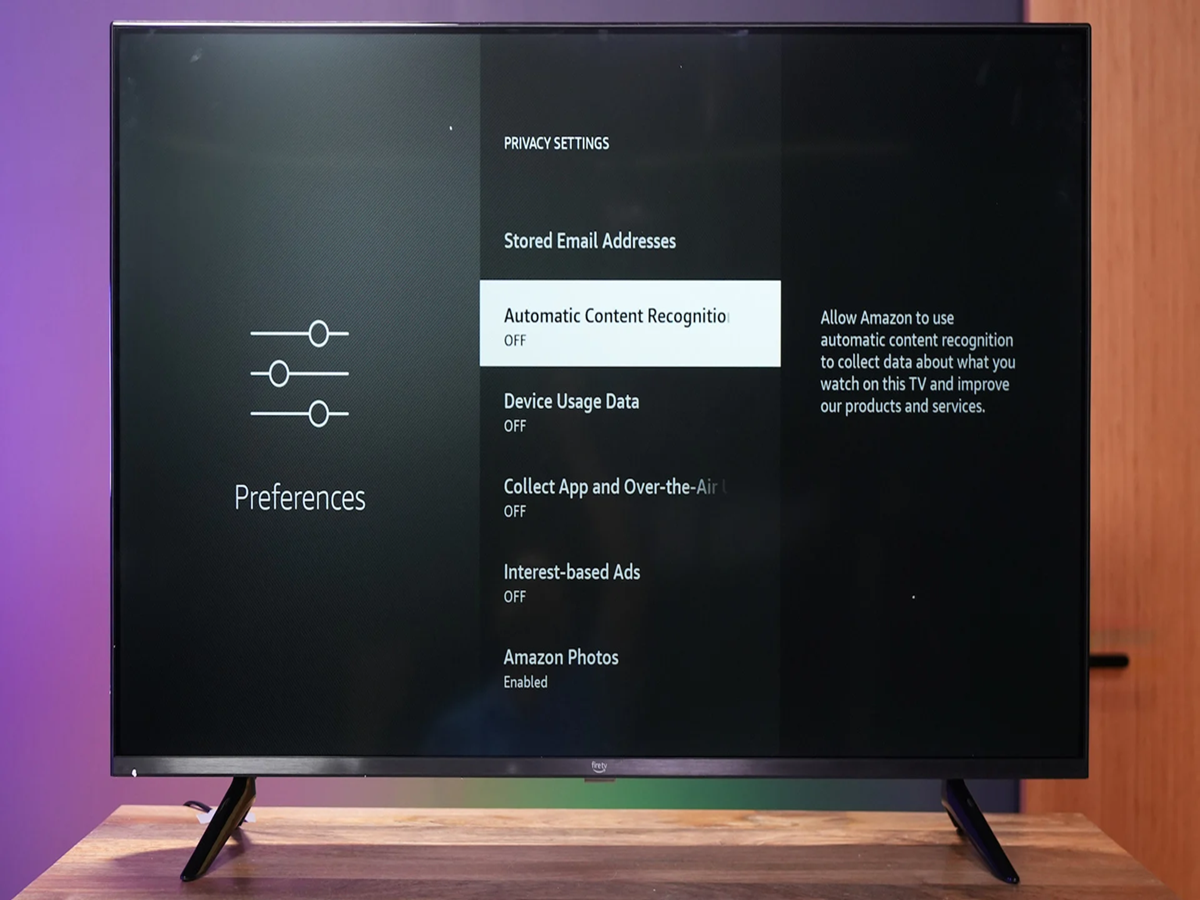
One of the biggest privacy concerns is a feature known as Automatic Content Recognition (ACR). Available on many Smart TVs, ACR tracks what you watch—whether it's through streaming apps, cable TV, or gaming consoles—to build a profile of your viewing preferences. Manufacturers often use this data to personalise recommendations or deliver targeted advertising. If you don't want your viewing habits to be monitored, you can disable ACR from the TV's privacy or viewing data settings.
Voice assistants such as Google Assistant, Amazon Alexa, or built-in AI features can also collect voice recordings when activated. If you rarely use voice commands, turning off microphone access or disabling the voice assistant can reduce unnecessary data collection and improve privacy.
Many Smart TVs automatically send diagnostic reports and usage data back to the manufacturer. While these reports help companies improve software performance, users who value privacy can choose to disable optional analytics and usage-sharing features. These settings are usually found under Privacy, Device Preferences, or Terms & Conditions.
Another overlooked issue is app permissions. Streaming apps sometimes request access to features they don't actually need. Reviewing app permissions and uninstalling apps you no longer use can reduce background activity, improve performance, and minimise security risks.
Keeping your Smart TV updated is equally important. Software updates not only introduce new features but also fix security vulnerabilities that hackers could potentially exploit. Enabling automatic software updates ensures your television remains protected against newly discovered threats.
If your TV allows it, creating a guest profile can also be useful. This prevents visitors from accessing your streaming accounts, recommendations, or watch history. Families can also create separate user profiles to receive personalised recommendations without sharing viewing data.
Finally, avoid connecting your Smart TV to unsecured public Wi-Fi networks. A secure home network protected with a strong password offers much better protection against cyber threats. Using two-factor authentication for streaming services like Netflix, Disney+, and YouTube can add another layer of security to your entertainment accounts.
Smart TVs are becoming more intelligent every year, with AI-powered recommendations, cloud gaming, and smart home integration. While these innovations make entertainment more convenient, they also make privacy settings more important than ever. Taking a few minutes to review and adjust your television's security and privacy options can help you enjoy your favourite shows with greater peace of mind while keeping your personal data under your control.