A slow Wi-Fi connection can be frustrating, especially when you're working from home, attending online classes, streaming videos, or gaming. While many people immediately blame their internet service provider (ISP), the problem is often caused by poor router placement, outdated settings, or too many connected devices.
Before upgrading your internet plan, try these simple tips to improve your Wi-Fi performance.
1. Place the Router in the Right Location
The position of your router plays a major role in signal strength.
For the best coverage:
-
Place it in a central location.
-
Keep it on a table or wall shelf rather than the floor.
-
Avoid placing it inside cupboards or behind furniture.
A well-positioned router can significantly improve coverage throughout your home.
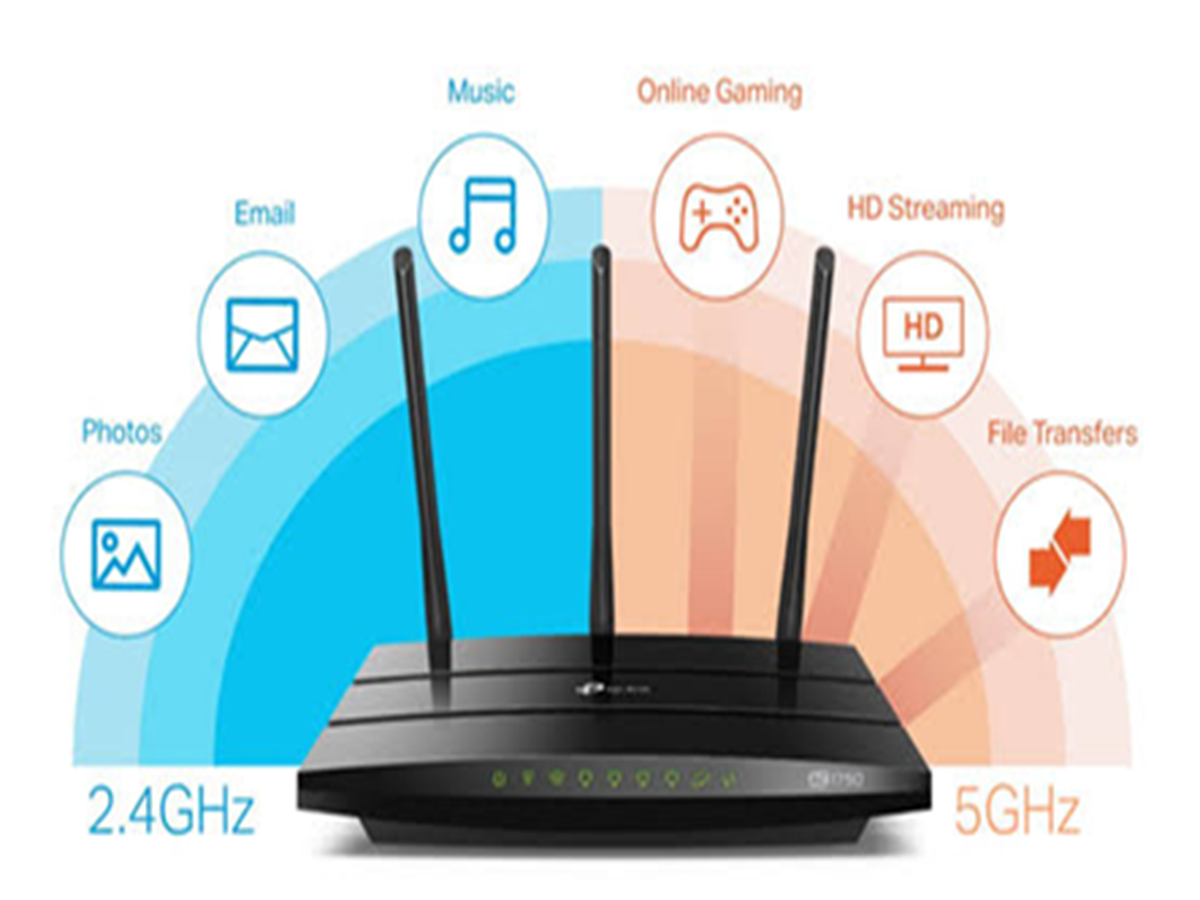
2. Switch to the 5GHz Band
If your router supports dual-band Wi-Fi, connect devices that are close to the router to the 5GHz network.
Benefits include:
-
Faster speeds
-
Lower interference
-
Better performance for streaming and gaming
Use the 2.4GHz band for devices farther away, as it offers better range.
3. Restart Your Router Weekly
Routers can slow down after running continuously for long periods.
Restarting your router once a week helps:
-
Clear temporary errors
-
Refresh the network connection
-
Improve overall performance
4. Update Your Router's Firmware
Manufacturers regularly release firmware updates that improve security, stability, and performance.
Check your router's settings page or the manufacturer's app to see if an update is available.
5. Reduce Network Congestion
If multiple devices are downloading large files, streaming 4K videos, or updating software at the same time, your internet speed may slow down.
Disconnect devices you aren't using and schedule large downloads during off-peak hours.
6. Secure Your Wi-Fi Network
An unsecured Wi-Fi network may allow neighbours or unknown users to access your internet.
To keep your network secure:
-
Use a strong password.
-
Enable WPA2 or WPA3 encryption.
-
Change the default router password.
This helps prevent unauthorized users from consuming your bandwidth.
7. Avoid Signal Interference
Wi-Fi signals can be affected by nearby electronic devices such as:
-
Microwave ovens
-
Cordless phones
-
Bluetooth speakers
-
Baby monitors
Keep your router away from these devices whenever possible.
8. Use Ethernet for Important Devices
For activities like:
-
Online gaming
-
Video conferencing
-
Large file transfers
a wired Ethernet connection is usually faster and more stable than Wi-Fi.
9. Add a Wi-Fi Extender or Mesh System
If certain rooms have weak signals, consider using:
-
A Wi-Fi range extender
-
A mesh Wi-Fi system
These devices improve coverage and eliminate dead zones in larger homes.
10. Check Your Internet Speed
Run a speed test occasionally to compare your actual speed with the plan you're paying for.
If you're consistently getting much lower speeds even after troubleshooting, contact your internet service provider for assistance.
Bonus Tip: Limit 't always need a more expensive internet plan to enjoy faster Wi-Fi. Simple steps like placing your router correctly, updating its firmware, securing your network, and reducing interference can make a noticeable difference. With a few adjustments, you can improve speed, coverage, and overall internet reliability throughout your home.