TECH
Instagram Update: Now you have control over your profile grid! Change the location of Instagram posts to your liking, learn the process
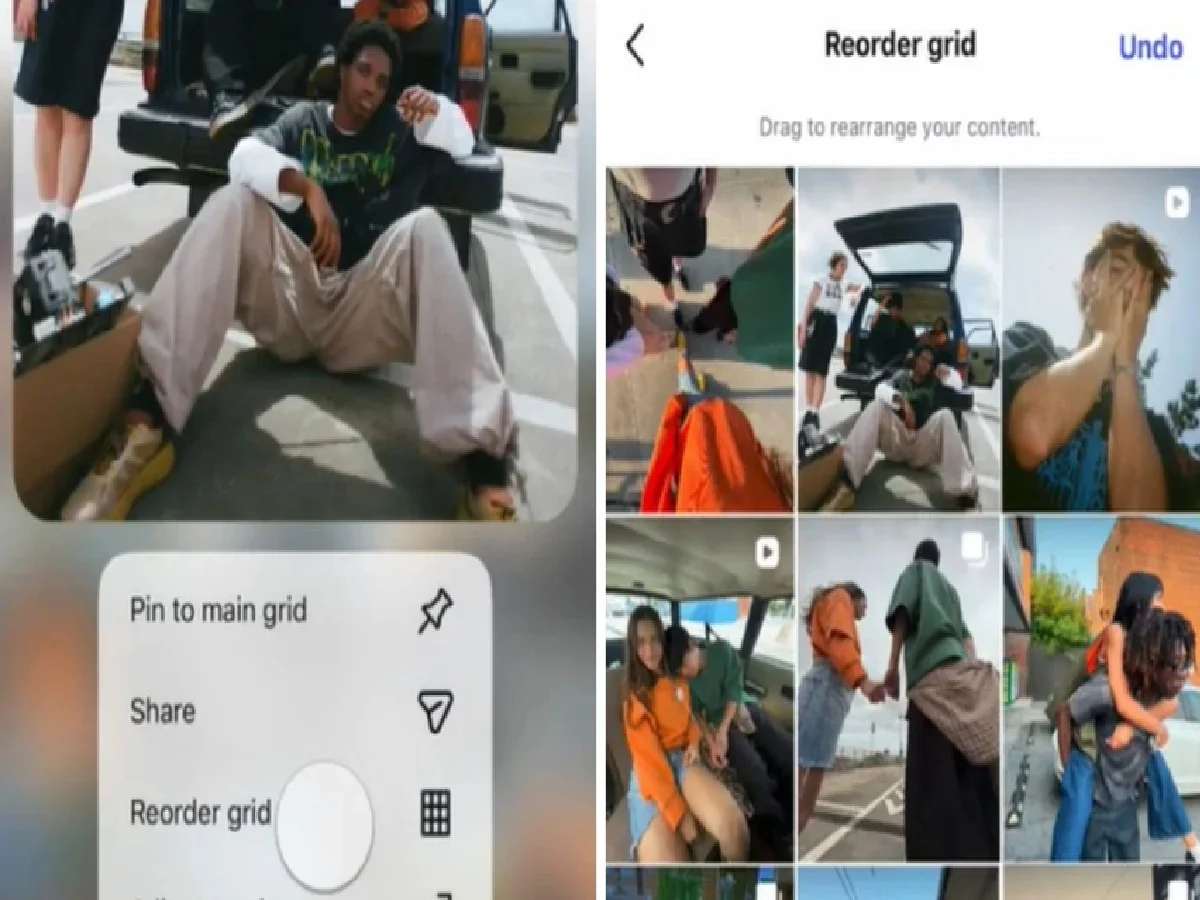
The social media platform has been rolling out new features and updates for its users over the past few days. Recently, a new feature called Instant was released. Following this, the company has now introduced another new feature for its users. This new feature is called Reorder Grid. This feature is related to the profile grid. Now, users will be able to adjust the posts on their profiles according to their preferences. The process is also very simple.
You will be able to change the position of posts as per your choice
Till now, posts on your profile were displayed according to date. That is, the latest posts were displayed at the top and the old posts at the bottom. Users also had the option to pin 3 posts. However, now some changes have been made in this. Now users will be able to change the position of posts as per their choice. That is, posts shared many months ago will be able to be adjusted at the top and recently shared posts at the bottom. Often we like old photos and reels more than new and latest posts. But, because you have the option to pin only 3 posts, that is why you are often not able to pin your favorite post at the top of your profile grid. But now this will not happen.
Instagram Reorder Grid
With a new feature on Instagram called Reorder Grid, you'll be able to arrange the photos on your profile grid in any order you like. Instagram shared a video of this on its X account. Many users have commented on this video. One user said that this will make organizing your profile much easier! While another user said that they've made the 'time sorting' method possible for everyone. Now anyone can take an old post and show it as a new post.
Follow this simple process:
First, open Instagram on your smartphone.
Click on your profile.
Long-press on any post.
You'll see options like Pin to your main grid, Reorder grid, Adjust preview, Likes, and Comments. Click on Reorder grid. You can now move your photo up or down as desired.
PC: Navarashtra