WhatsApp Channels: A New Way to Receive Updates
WhatsApp has introduced a new feature called Channels, which allows users to receive updates from individuals, organizations, brands, and public figures directly inside the app. The feature was launched globally after being rolled out in several countries, including India, and aims to create a private broadcasting space where administrators can share information with followers.
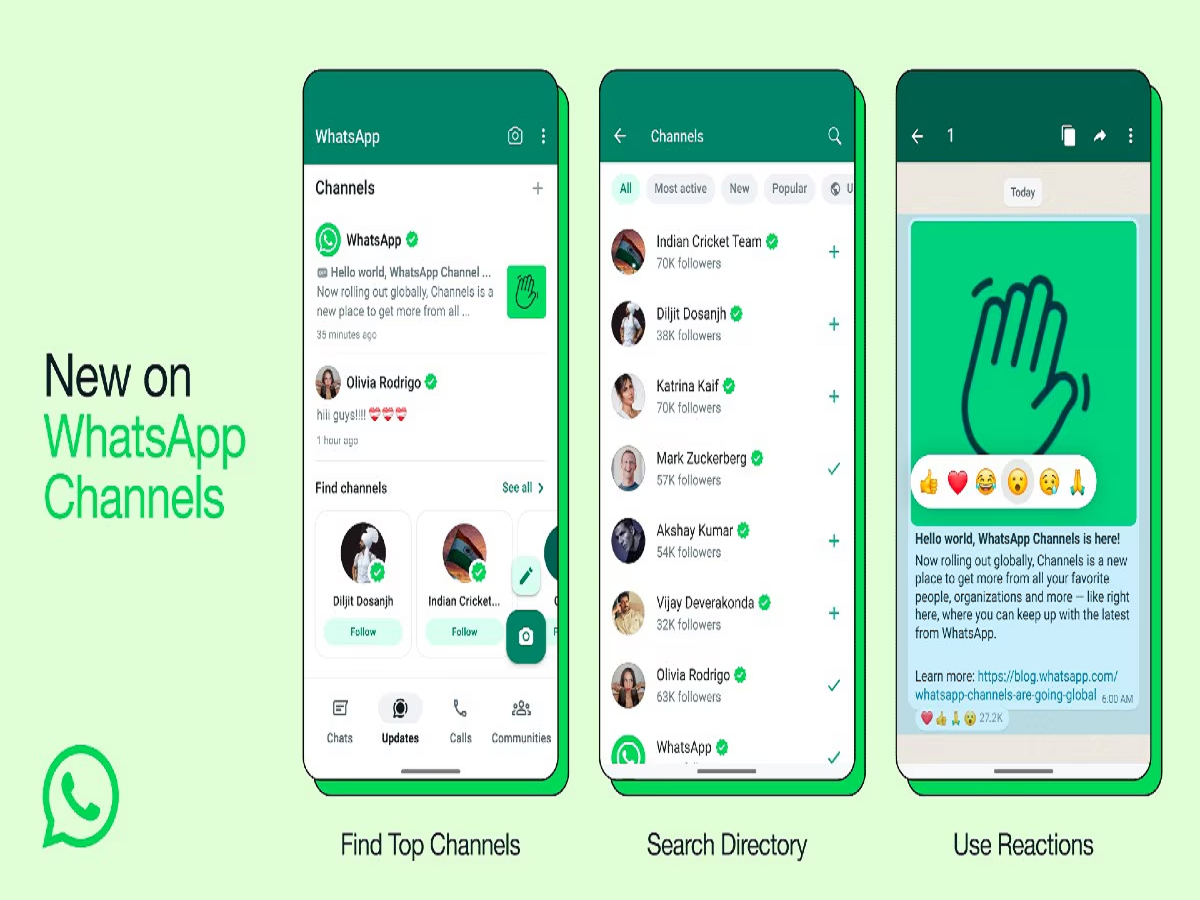
Unlike normal chats or group conversations, WhatsApp Channels work as a one-way communication platform. This means only channel administrators can post updates, while followers can simply view the content and react with emojis. The updates can include text messages, images, videos, stickers, and polls, making it easier for creators and organizations to communicate with their audience.
Channels appear in the Updates tab of WhatsApp, the same section where users usually check Status updates. Users can search for and follow channels related to their interests, including news, sports, entertainment, technology, and more.
However, after following multiple channels, many users may start receiving too many notifications or updates. In such cases, WhatsApp provides a quick option to unfollow channels that you no longer wish to follow.
Why You May Want to Unfollow a WhatsApp Channel
There are several reasons why users might decide to stop following a channel on WhatsApp. Over time, your interests may change, or you may simply feel overwhelmed by the number of updates appearing in the app.
Here are some common reasons users choose to unfollow a channel:
-
Receiving too many notifications or updates
-
Content no longer matches your interests
-
Wanting to keep the Updates tab clean and organized
-
Reducing distractions from unnecessary alerts
The good news is that unfollowing a WhatsApp Channel is a simple and quick process that can be completed in just a few taps.
Step-by-Step Guide to Unfollow a WhatsApp Channel
If you want to stop receiving updates from a specific channel, follow these easy steps:
Step 1: Open WhatsApp
Launch the WhatsApp application on your smartphone.
Step 2: Go to the Updates Tab
At the bottom of the screen, tap on the Updates section where you can see Status updates and Channels you follow.
Step 3: Select the Channel
Scroll through the list of channels and open the one you want to unfollow.
Step 4: Access Channel Info
Tap the channel name at the top of the screen to open the channel’s information page.
Step 5: Choose the Unfollow Option
Scroll down and select the Unfollow Channel option.
Step 6: Confirm Your Choice
WhatsApp will ask you to confirm your decision. Tap Unfollow again to stop receiving updates.
Once completed, the channel will disappear from your followed list, and you will no longer receive its updates or notifications.
What Happens After You Unfollow a Channel?
After unfollowing a channel, WhatsApp will immediately remove it from your list of followed channels. This means:
-
You will no longer see updates from that channel in your Updates tab.
-
You will stop receiving notifications from that channel.
-
You can still search for and follow the channel again anytime in the future.
This gives users the flexibility to manage the content they receive without permanently blocking or removing the channel.
WhatsApp’s Goal Behind Channels
According to WhatsApp’s parent company Meta, the Channels feature is designed to provide a secure and private broadcasting tool. Unlike traditional social media feeds, WhatsApp Channels focus on privacy and limited interaction.
For example:
-
Followers cannot see each other’s phone numbers.
-
Personal messages are not visible to other followers.
-
Administrators cannot see the identities of followers.
This makes the feature suitable for news organizations, celebrities, institutions, and communities that want to share updates while maintaining user privacy.
Managing Channels for a Better WhatsApp Experience
As more organizations and creators join WhatsApp Channels, users may find themselves following many channels over time. Regularly reviewing and unfollowing channels that are no longer relevant can help keep your WhatsApp experience clean, organized, and distraction-free.
The process is straightforward and only takes a few seconds, making it easy to control what kind of updates you receive.
By managing your followed channels wisely, you can ensure that the Updates tab remains filled only with content that truly matters to you.