The Permanent Account Number (PAN) is one of the most important financial documents for Indian citizens. Whether you need it for filing income tax returns, opening a bank account, investing in mutual funds, or applying for loans, PAN is essential. Fortunately, taxpayers can now download their e-PAN online without waiting for a physical card.
What Is an e-PAN?
An e-PAN is a digitally signed electronic version of your PAN card issued by the Income Tax Department. It contains the same information as the physical PAN card and is accepted for most financial and KYC-related purposes.
Benefits of e-PAN
-
Instant access to PAN details
-
No need to carry a physical card
-
Easy storage on mobile devices
-
Accepted for online KYC verification
-
Useful when the physical PAN card is lost or damaged
Who Can Download an e-PAN?
You can download an e-PAN if:
-
Your PAN has already been allotted.
-
Your Aadhaar-linked mobile number is active.
-
Your PAN details are available in the Income Tax database.
Documents Required
Generally, no additional documents are required if your mobile number is already linked with Aadhaar or PAN records. OTP-based verification is usually sufficient.
Step-by-Step Process to Download e-PAN
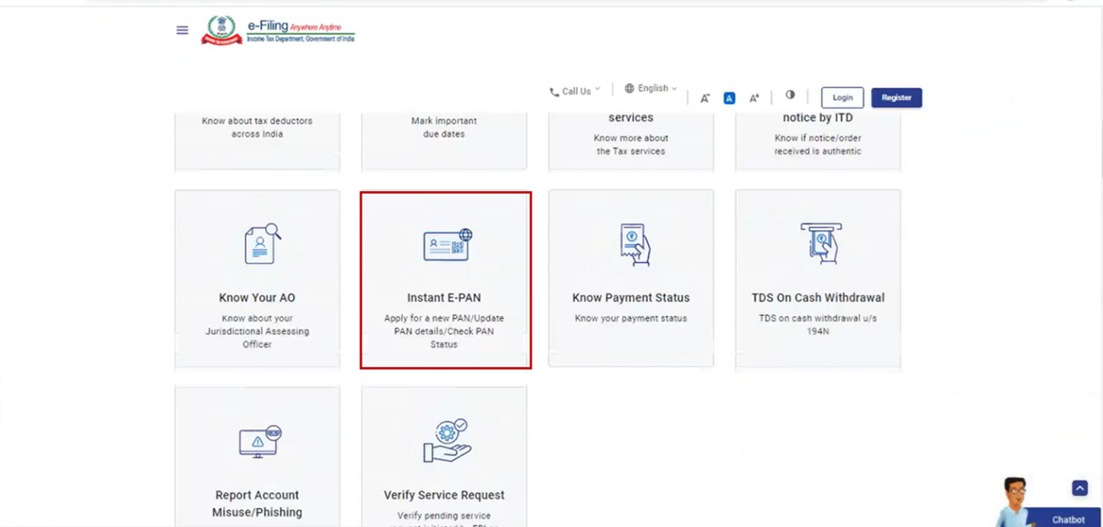
Step 1: Visit the Official Portal
Go to the designated Income Tax or PAN service provider website.
Step 2: Enter PAN Details
Provide your PAN number, Aadhaar number, or acknowledgment number as required.
Step 3: Verify Using OTP
An OTP will be sent to your registered mobile number. Enter the OTP to verify your identity.
Step 4: Download the e-PAN
Once verification is successful, you can download the e-PAN in PDF format.
What If You Have Forgotten Your PAN Number?
If you do not remember your PAN number, you can retrieve it using:
-
Aadhaar details
-
Registered mobile number
-
Income Tax e-Filing account
Is e-PAN Valid Everywhere?
Yes, the e-PAN is a valid PAN document and is generally accepted for:
-
Income Tax Return filing
-
Bank account opening
-
Mutual fund investments
-
Demat account opening
-
Loan applications
-
KYC verification
Common Issues While Downloading e-PAN
Mobile Number Not Registered
Ensure that your mobile number is updated in Aadhaar and PAN records.
OTP Not Received
Wait for a few minutes and request a fresh OTP if necessary.
Incorrect Details
Double-check your PAN, Aadhaar, and personal information before proceeding.
Conclusion
The e-PAN facility has made access to PAN details faster and more convenient than ever before. Whether you have misplaced your physical card or need PAN details urgently, downloading an e-PAN online is a quick and hassle-free solution. Keeping a digital copy of your PAN card can save time and simplify financial transactions whenever required.