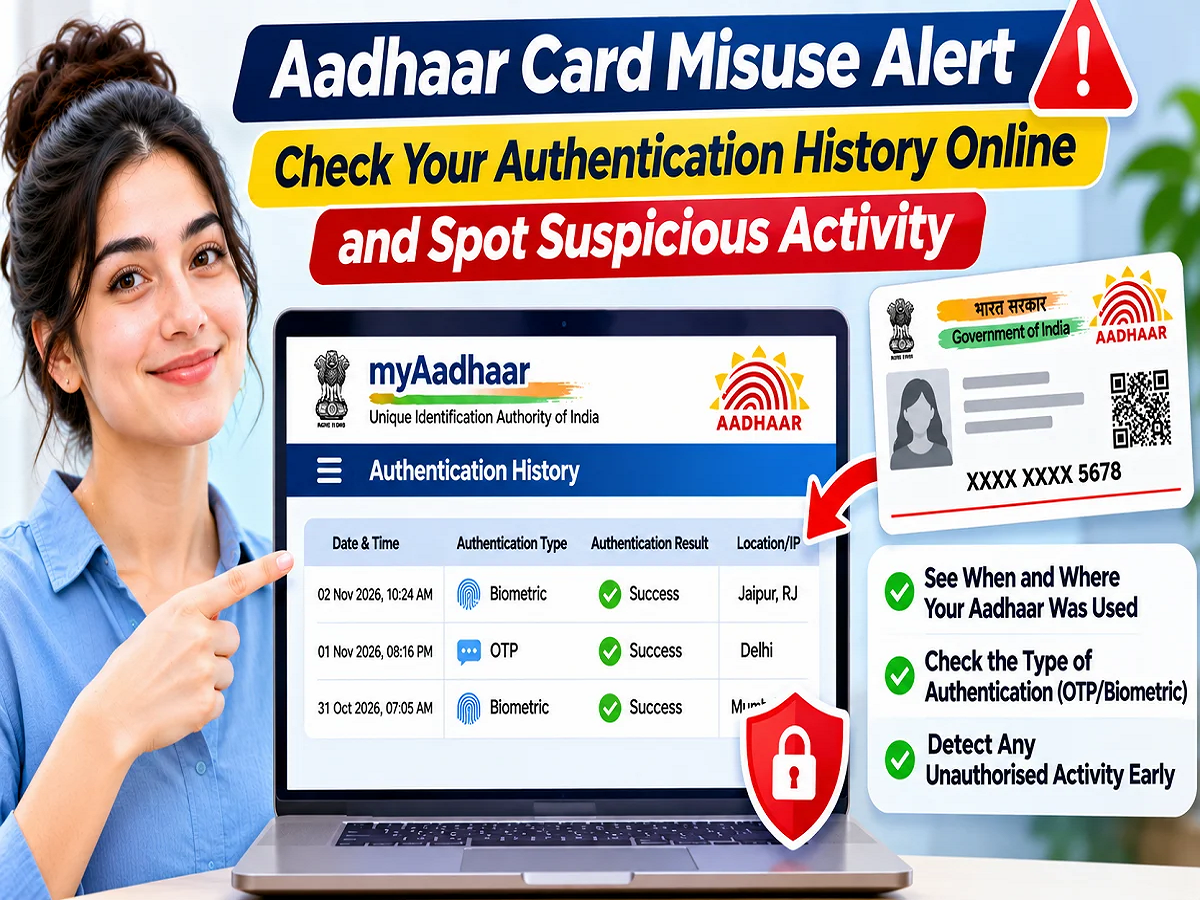
Aadhaar Authentication History: If you suspect someone is using your Aadhaar card without your knowledge, you can verify it from the comfort of your home. The Unique Identification Authority of India (UIDAI) provides a feature called Aadhaar Authentication History on its official portal. This allows you to find out when identity verification attempts have been made using your Aadhaar over the past few months. This record contains important information such as the date, method, and status of the verification.
Aadhaar has become a vital identity document today. It is used to open bank accounts, purchase mobile SIM cards, avail government schemes, and access various digital services.
Many times, we provide our Aadhaar information to various organizations, but later fail to verify where it was used. Therefore, it's natural to worry about potential misuse of Aadhaar.
UIDAI's online facility allows you to view your Aadhaar-based identity verification records. There's no need to visit an office. However, you must have a mobile number linked to your Aadhaar.
What is Aadhaar Authentication History?
Aadhaar Authentication History is an online facility through which Aadhaar holders can view the recent records related to their identity verification.
When an authorised entity requests to verify your identity through UIDAI's systems, relevant information may be recorded.
This verification can be done through different methods, such as OTP, fingerprint, iris scan, facial recognition or demographic information.
This feature helps you understand when and what type of verification was done with your Aadhaar.
How many months old Aadhaar history can be seen?
Generally, Aadhaar Authentication History records of the last six months can be viewed through this facility of UIDAI.
Facility to view maximum 50 authentication records at a time is available.
If you want to view information from different periods, you can check the records by changing the selection of dates.
However, this feature doesn't capture all Aadhaar-related usage. It primarily shows requests processed through the UIDAI's authentication system.
Therefore, the absence of any record does not guarantee that your Aadhaar number or its copy has not been used anywhere.
How to check Aadhaar Card Authentication History sitting at home?
If you want to know when your identity verification has been done through Aadhaar, then follow the steps given below.
Step 1: First of all, visit the official myAadhaar portal of UIDAI.
Step 2: Find the Aadhaar Authentication History option on the website and click on it.
Step 3: Now enter your 12 digit Aadhaar number or 16 digit Virtual ID (VID).
Step 4: After this, enter the security code or captcha displayed on the screen.
Step 5: Now complete the verification by entering the OTP received on the registered mobile number.
Step 6: Next, select the date or period for which you want to view the Aadhaar authentication records.
Step 7: Click on the Submit button.
The available records will then appear on the screen. You can review the information entered and save the records as needed.
What information will be available in Aadhaar history?
Many important information related to identity verification can be seen in Aadhaar Authentication History.
|
Authentication Date |
Aadhaar verification date |
|
Authentication Time |
Verification time |
|
Authentication Type |
OTP, biometric or other method |
|
Transaction ID |
Identification number of the verification request |
|
Authentication Status |
Verification successful or unsuccessful |
|
Agency Information |
Available information about the requesting organization |
With the help of these details you can match the recent usage of your Aadhaar.
For example, if you did Aadhaar based verification at the bank on a particular day and the record shows up for the same date, it could be a normal activity.
But if you find a record of a date when you did not use Aadhaar, it would be advisable to check it.
What to do if unknown transactions appear in Aadhaar history?
If you see any authentication in the record that you are unable to recognize, it would not be right to immediately assume that your Aadhaar has been misused.
Sometimes an organization's name may appear different from its business name in the records. Additionally, unsuccessful verifications may be due to an incorrect OTP or a mismatched fingerprint.
In such a situation, first save the date, time, authentication type and transaction ID of the relevant record.
After this, check whether at that time you had done Aadhaar verification for any bank, government office, mobile company or other service or not.
If the record still appears suspicious, clarification may be sought from the concerned institution.
If there is suspicion of misuse of Aadhaar, where should I complain?
If you consistently see authentication records that you don't know about, you can get help from UIDAI.
For this, UIDAI's official helpline 1947 can be contacted.
Apart from this, you can also tell your problem through email at help@uidai.gov.in.
It may be useful to share the relevant transaction ID, date and available information while making a complaint.
Keep in mind that you should not give your Aadhaar OTP or other confidential information to any unknown person.
Security can be increased by locking Aadhaar Biometrics
UIDAI also allows Aadhaar holders to lock biometric information.
This allows biometric verification features like fingerprint, iris and face authentication to be controlled.
If you are concerned about potential misuse of Aadhaar, this can be an additional security measure.
To lock biometrics, the Lock/Unlock Biometrics facility available on the official portal of UIDAI can be used.
Once the biometric lock is in place, the relevant biometric authentication will not be performed normally. If necessary, it can be unlocked following the prescribed procedure.
However, this feature does not prevent all possible misuses of Aadhaar.
If the mobile number is not linked to Aadhaar, will I be able to see the history?
To view Aadhaar Authentication History, OTP received on the registered mobile number is required.
If your mobile number is not linked to Aadhaar or the old number is closed, then you will face problems in viewing the online history.
In such a situation, you will have to go to the authorized Aadhaar update center and update your mobile number.
After the mobile number is updated, you will be able to use OTP based online services.
Will the misuse of the photocopy of the Aadhaar card also be visible in the history?
It is important to understand that Aadhaar Authentication History is not a complete record of all Aadhaar related activities.
If someone has a photocopy of your Aadhaar card, the information about him having the copy will not be visible in this history.
Similarly, if an entity has accessed Aadhaar information without using UIDAI's authentication system, its record need not be visible in this facility.
Therefore, along with checking Aadhaar history, it is important to be cautious while sharing personal information.
Follow these important steps to keep your Aadhaar safe.
Some simple security measures can be useful to reduce the risk of Aadhaar-related fraud.
- Check Aadhaar Authentication History from time to time.
- Keep the mobile number linked to Aadhaar active.
- Do not share OTP with anyone.
- Use Masked Aadhaar or Virtual ID as per requirement.
- Avoid entering Aadhaar number and personal information on suspicious websites.
- If you find an unknown authentication record, contact the concerned organization or UIDAI.
- Use Aadhaar's biometric lock feature if required.
What is the benefit of checking Aadhaar Authentication History?
The biggest advantage of this facility is that you can yourself see the recent identity verification information related to your Aadhaar.
This can help identify any unknown or unusual authentication requests.
This facility is especially useful for those who regularly use Aadhaar for banking, government schemes and other digital services.
However, checking history alone won't detect every potential fraud. It should be used as an additional measure of Aadhaar security.
Conclusion
If you suspect that someone is using your Aadhaar without your knowledge, you can check the recent identity verification records from UIDAI's Aadhaar Authentication History feature.
It allows viewing available records for the last six months and a maximum of 50 authentication entries at a time.
If you notice any suspicious transactions, keep the information safe and contact the relevant entity or UIDAI. Additionally, keeping your Aadhaar mobile number updated and locking your biometrics, if necessary, can be helpful for security.