
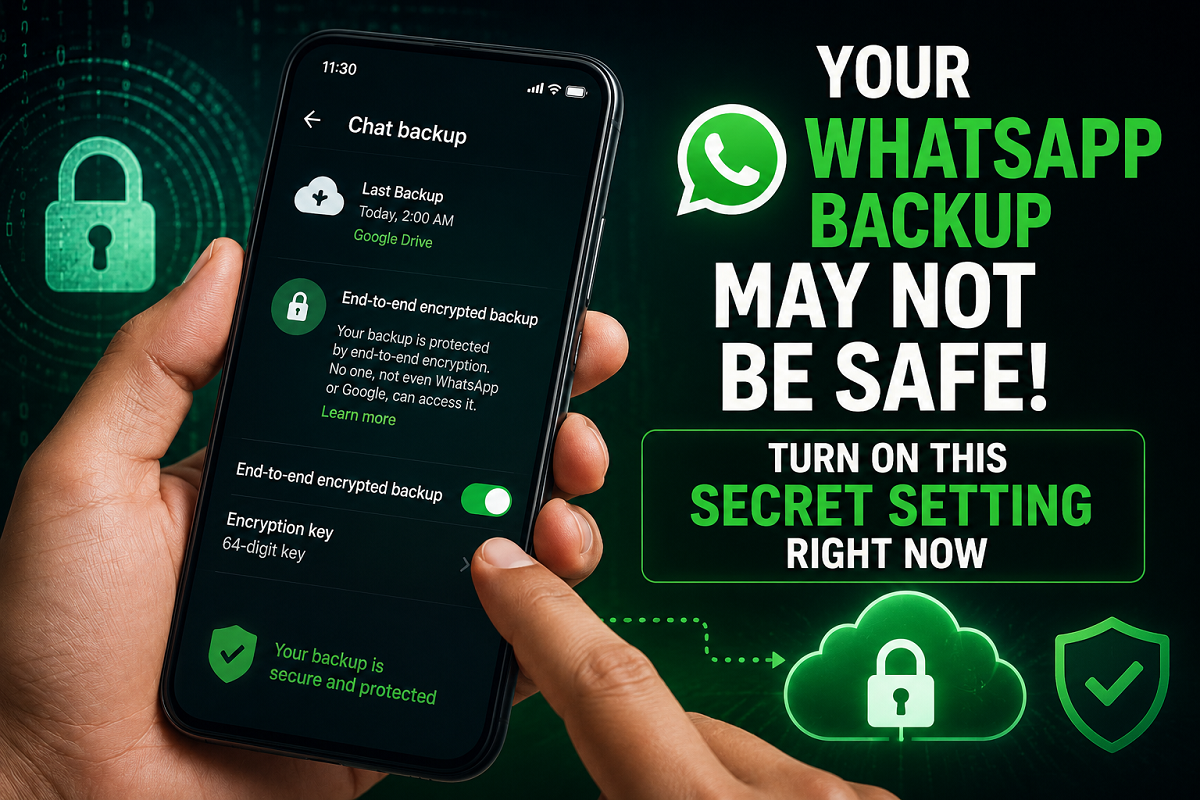
Millions of people use WhatsApp every day for chatting, sharing photos, storing important documents, and exchanging personal information. Over the years, the app has evolved far beyond a simple messaging platform and now holds a large amount of sensitive user data. While most users believe their chats are completely protected, many are unaware that their cloud backups may still remain vulnerable if an important security setting is not enabled.
Cybersecurity experts are now advising users to immediately activate WhatsApp’s End-to-End Encrypted Backup feature to prevent hackers or unauthorized individuals from accessing private backup data stored on cloud services like Google Drive or iCloud.
WhatsApp Chats Are Encrypted, But Backups May Not Be
WhatsApp already offers default end-to-end encryption for regular chats, meaning messages can only be read by the sender and receiver. Even Meta, the parent company of WhatsApp, cannot directly access those conversations while they are being exchanged within the app.
However, many users do not realize that cloud backups work differently.
When WhatsApp chats are backed up to platforms such as Google Drive or Apple iCloud without additional encryption enabled, the backup data may not have the same level of protection as live chats inside the app.
This means that if someone gains unauthorized access to your cloud account, your stored chat history, media files, and personal documents could potentially be exposed.
Why This Hidden Security Feature Is Important
WhatsApp provides an optional feature called “End-to-End Encrypted Backup,” which adds an extra layer of protection to cloud-stored data.
Once activated, the backup becomes protected with either:
- A custom password created by the user, or
- A unique 64-digit encryption key
This additional security layer ensures that nobody — including Google, Apple, Meta, or hackers — can access the backup data without the correct authentication credentials.
Experts say this feature significantly reduces the risk of data theft, especially in situations where someone’s cloud account is compromised.
Even a Hacked Google Account Cannot Easily Access the Backup
Cybersecurity specialists warn that many users focus only on protecting their WhatsApp account while ignoring the security of cloud backups.
For example, if a hacker somehow gains access to your Google account, unencrypted backups could become vulnerable. But when end-to-end encrypted backup is enabled, the stored data appears only as unreadable encrypted code.
Without the original password or encryption key, decrypting the backup becomes nearly impossible. This is why security professionals strongly recommend enabling the feature for all users storing sensitive conversations or personal files on WhatsApp.
How to Turn On WhatsApp End-to-End Encrypted Backup
Activating the feature is simple and only takes a few minutes.
Follow These Steps:
- Open WhatsApp on your smartphone.
- Tap your profile icon or Settings menu.
- Go to the “Chats” section.
- Select “Chat Backup.”
- Tap on “End-to-End Encrypted Backup.”
- Turn the feature ON using the toggle button.
- Create a strong password or choose the 64-digit encryption key option.
- Complete verification to activate the protection.
Once enabled, future backups will remain encrypted and protected from unauthorized access.
Passkeys Are Becoming the New Standard for Security
WhatsApp is also increasingly promoting Passkey-based authentication, which many experts consider safer than traditional passwords.
Passkeys use biometric authentication such as fingerprint scans, facial recognition, or device security verification instead of standard text passwords. This makes it much harder for attackers to break into accounts using phishing or password theft methods.
Security experts believe passkeys could become one of the most important tools in protecting personal messaging data in the future.
Small Setting, Big Protection
In today’s digital world, smartphones often store highly personal information, including financial details, family conversations, confidential documents, and private photos. A single weak security setting can expose users to major privacy risks.
Enabling WhatsApp’s encrypted backup feature is a small but powerful step that can help users protect sensitive information from cybercriminals, cloud breaches, and unauthorized access attempts.
Experts recommend checking backup security settings immediately, especially for users who regularly store important personal or professional data on WhatsApp.



