
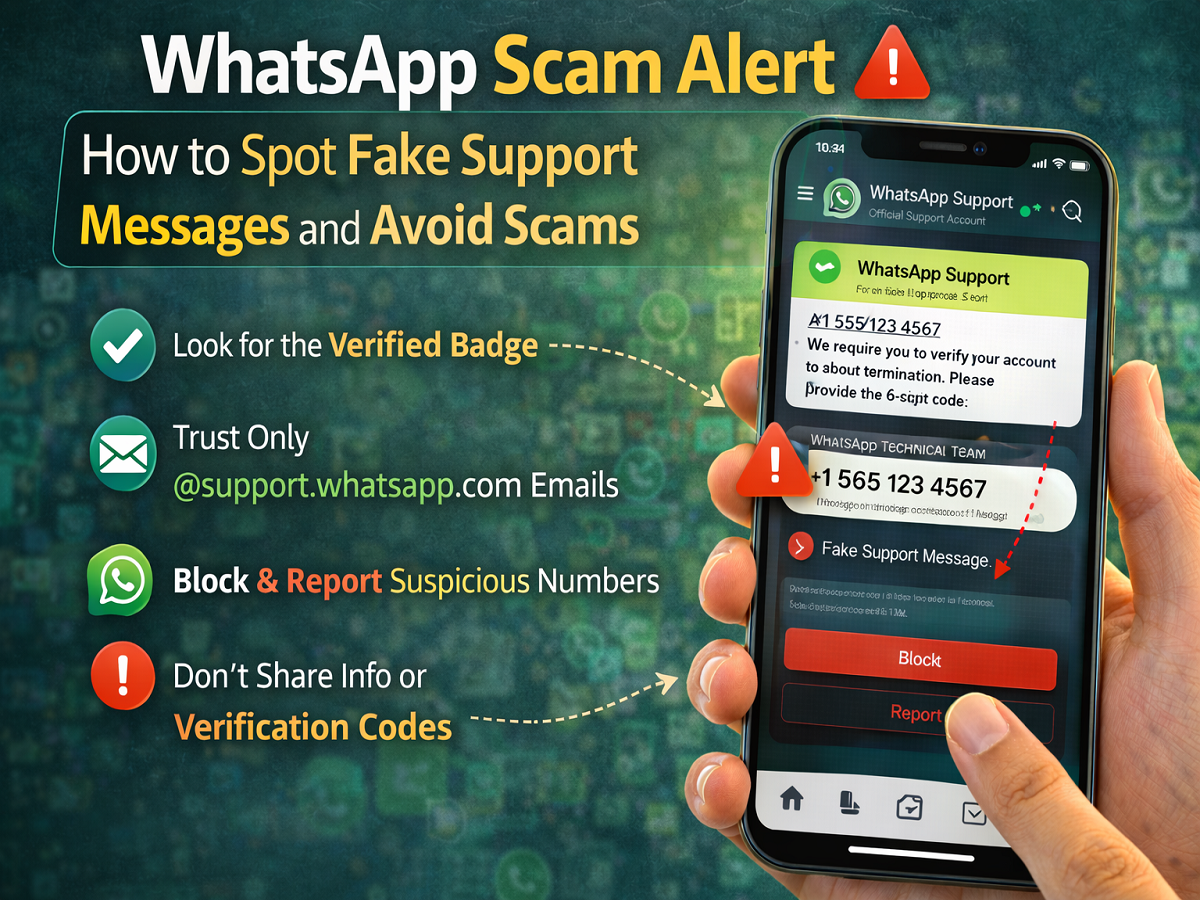
WhatsApp is one of the most widely used messaging applications in the world, connecting billions of people daily. However, the platform’s popularity has also made it a target for cybercriminals. One of the most common scams involves fraudsters posing as WhatsApp support representatives to trick users into sharing personal information.
These scammers may send messages claiming to be from WhatsApp’s technical team, asking users to verify their account, click suspicious links, or provide sensitive details. To stay safe, it is important to understand how the official support system works and how to recognise fake messages.
Why Fake WhatsApp Support Scams Are Increasing
As more users rely on WhatsApp for personal and professional communication, scammers are constantly finding new ways to exploit the platform.
Fraudsters often impersonate support agents and attempt to:
-
Steal account verification codes
-
Gain access to personal chats
-
Trick users into clicking malicious links
-
Collect sensitive information such as phone numbers or passwords
Knowing how to verify official communication from WhatsApp can help users avoid these scams.
How to Identify Real WhatsApp Support Messages
When users contact the official WhatsApp support team through chat, the response comes from a verified support account.
Authentic WhatsApp support messages include:
-
A verified badge next to the account name
-
The label “Official Support Account”
-
Secure communication through the WhatsApp platform
If you receive a message claiming to be from WhatsApp support without a verified badge, it is very likely a scam.
In such cases, users should avoid responding and immediately block or report the number.
Contacting WhatsApp Support Through Email
WhatsApp also provides support through email. However, the company uses specific email domains to communicate with users.
Official WhatsApp support emails always come from addresses ending with:
@support.whatsapp.com
If you receive an email claiming to be from WhatsApp support but the address does not end with this domain, it may be fraudulent.
When contacting support via email, users can include additional details about their issue along with attachments or screenshots to help the team understand the problem better.
Providing Feedback on AI Support Responses
WhatsApp now uses a combination of human support agents and artificial intelligence to respond to user queries. If you interact with AI-generated replies inside the app, you can provide feedback on the quality of the response.
To give feedback:
-
Hover over the response you want to review.
-
Click the menu icon (downward arrow).
-
Select Good Answer or Bad Answer.
-
If prompted, add a reason and submit your feedback.
This helps WhatsApp improve the accuracy of its automated support responses.
Information WhatsApp May Collect When You Contact Support
When users contact WhatsApp support, the company may collect certain information to help diagnose the problem.
Depending on how you contact them, WhatsApp may collect:
-
Your phone number or email address
-
Mobile network details, including the operator you use
-
Device information, such as configuration and storage capacity
-
Device settings, including language preferences and permissions
-
Backup settings, including backup frequency and last backup date
-
App version details
-
Information related to how you use WhatsApp features
This information helps the support team understand the issue and provide appropriate solutions.
Tips to Stay Safe from WhatsApp Scams
To protect yourself from fake support messages and other scams, keep these safety tips in mind:
-
Always check for the verified badge on official WhatsApp accounts.
-
Never share verification codes, passwords, or personal details with unknown contacts.
-
Avoid clicking on suspicious links sent through messages or emails.
-
Immediately block and report suspicious numbers pretending to be support agents.
-
Only trust emails that come from @support.whatsapp.com.
Stay Alert and Protect Your WhatsApp Account
With messaging apps becoming central to daily communication, scammers are constantly trying to exploit unsuspecting users. Understanding how WhatsApp’s official support system works can help you quickly identify fraudulent messages and protect your account.
By verifying support accounts, avoiding suspicious links, and reporting fake contacts, users can significantly reduce the risk of falling victim to WhatsApp scams. Staying informed is the best defense against online fraud.


