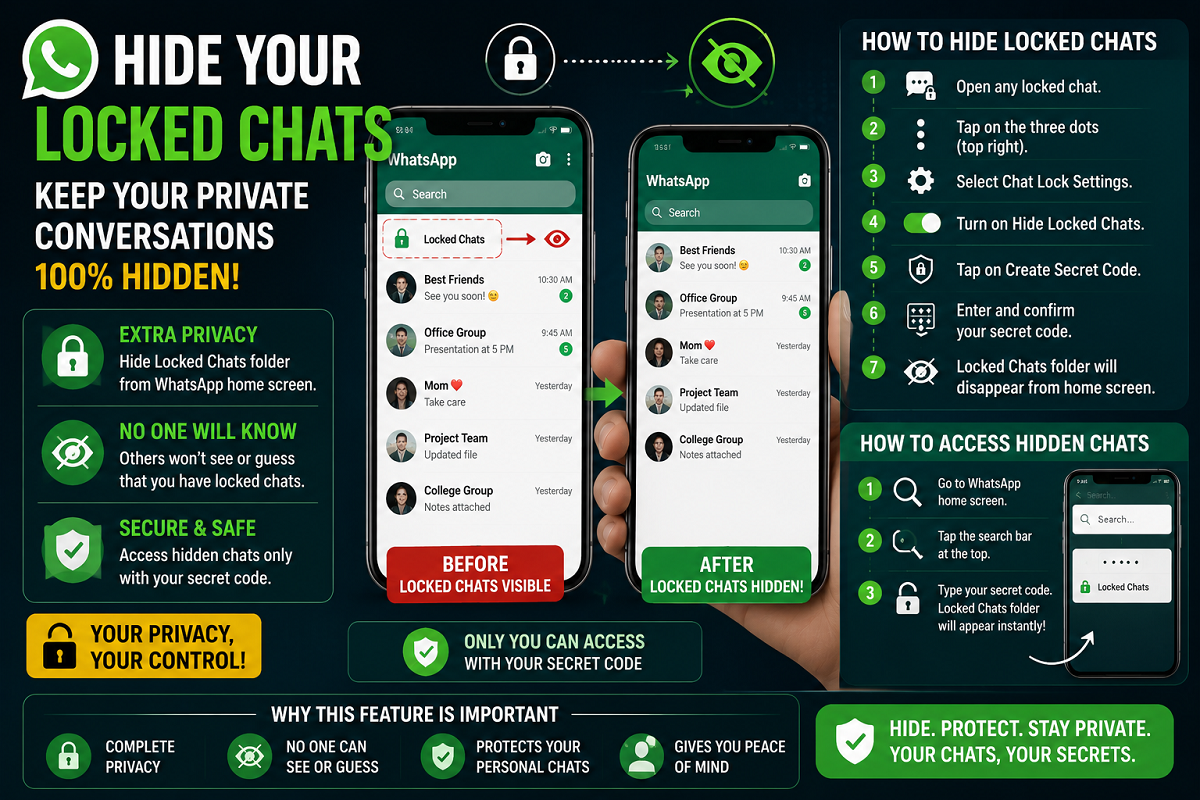
Privacy has become one of the biggest concerns for smartphone users today, especially on messaging platforms like WhatsApp where personal conversations, photos, and sensitive information are stored. To improve user privacy, WhatsApp introduced the Chat Lock feature, allowing users to secure private chats with passwords, fingerprints, or Face ID.
However, even after locking chats, one issue still remained — the “Locked Chats” folder itself continued to appear at the top of the WhatsApp home screen. This made it obvious that certain conversations were hidden, which many users considered a privacy risk.
Now, WhatsApp offers an additional hidden privacy trick that allows users to completely remove the Locked Chats folder from the main screen. Once enabled, nobody will even know that hidden chats exist on your account.
Why This Feature Matters
Many people regularly hand over their phones to friends, family members, or colleagues. Even though locked chats cannot be opened without authentication, the visible folder often attracts attention and curiosity.
By hiding the Locked Chats section completely, users can now add an extra layer of security and keep their private conversations truly invisible.
What Is WhatsApp Chat Lock?
The Chat Lock feature moves selected conversations into a separate protected folder inside WhatsApp. These chats can only be accessed through:
Fingerprint unlock
Face recognition
Device password
Secret code
Notifications from locked chats are also partially hidden to protect user privacy.
How to Hide the Locked Chats Folder
WhatsApp now allows users to remove the Locked Chats section entirely from the app’s home page. The process takes only a few steps.
Follow These Steps Carefully
Open WhatsApp and go to your Locked Chats folder.
Tap the three-dot menu in the top-right corner.
Open Chat Lock Settings.
Turn on the option to Hide Locked Chats.
WhatsApp will now ask you to create a Secret Code.
Enter your preferred code and confirm it.
Once the setup is complete, the Locked Chats folder will disappear completely from the WhatsApp home screen.
How to Access Hidden Chats Later
After hiding the folder, users can still access their private chats whenever needed.
To Open Hidden Locked Chats:
Go to the WhatsApp home screen.
Tap on the search bar.
Type the secret code you created earlier.
As soon as the correct code is entered, the hidden Locked Chats folder will instantly reappear.
This ensures that only the person who knows the code can access the private conversations.
What If Locked Chats Don’t Appear?
Some users panic after enabling the feature because the Locked Chats section disappears completely. However, this is normal behavior.
To restore access:
Open WhatsApp
Use the search bar
Enter the secret code
The hidden chats will immediately become visible again.
Key Benefits of Hiding Locked Chats
1. Complete Privacy
Nobody can see that you have locked chats on your WhatsApp account.
2. Extra Security
Even if someone unlocks your phone, hidden chats remain invisible without the code.
3. Better Protection for Personal Conversations
Sensitive chats remain hidden from family members, friends, or anyone borrowing your device.
4. Quick and Easy Access
Users can instantly open hidden chats by typing the secret code.
Important Tips for Users
Choose a strong secret code that others cannot guess easily.
Keep WhatsApp updated to access the latest privacy features.
Do not share your secret code with anyone.
Remember your code carefully, otherwise finding hidden chats may become difficult.
WhatsApp Continues Focusing on Privacy
Over the last few years, WhatsApp has introduced several privacy-focused features such as disappearing messages, screenshot protection, chat lock, and advanced account security tools.
The ability to completely hide locked chats shows how messaging apps are evolving to give users more control over their private conversations.
For users who value confidentiality and stronger digital privacy, this hidden chat feature can become one of the most useful tools available on WhatsApp today.