TECH
What Information About You Is Visible on WhatsApp? Check These Privacy Settings in Just 2 Minutes
WhatsApp is one of the most widely used messaging apps, but many users may not realise how much personal information can be visible to other people. Depending on your privacy settings, others may be able to see details such as your profile photo, last seen, online status, About information and Status updates.
The good news is that WhatsApp gives you control over much of this information. By spending just a couple of minutes reviewing your privacy settings, you can decide who gets to see different parts of your profile.
Here's how to check and update these settings.
First, Open WhatsApp Privacy Settings
Start by opening WhatsApp on your phone and going to Settings > Privacy.
Depending on your app version, the layout may differ slightly, but the Privacy section contains the main controls for deciding who can see your personal information.
You can review each option individually and choose whether information should be visible to everyone, your contacts, selected contacts or nobody.
Check Who Can See Your Profile Photo
Your profile picture can reveal your identity to people who have your number, depending on your settings.
In the Privacy section, open Profile photo and select the visibility option you prefer. If you don't want people outside your contacts to see it, you can restrict access accordingly.
Control Last Seen and Online Status
WhatsApp also lets you control who can see when you were last active.
Go to Last seen and online and choose who can see your last-seen information. You can also decide who can see when you're currently online.
These settings are useful if you prefer not to reveal your activity or availability to everyone.
Make Your Status and About Information More Private
Your Status updates can also be controlled through WhatsApp's privacy settings.
You can choose who can view your Status and limit it to specific contacts if required. Similarly, the visibility of your About information can be adjusted.
It's worth checking these settings regularly, especially after adding new contacts or changing how you use WhatsApp.
Control Who Can Add You to Groups
Tired of being added to random WhatsApp groups?
WhatsApp provides a setting that lets you control who can add you to groups. Adjusting this option can help reduce unwanted group invitations and give you more control over your account.
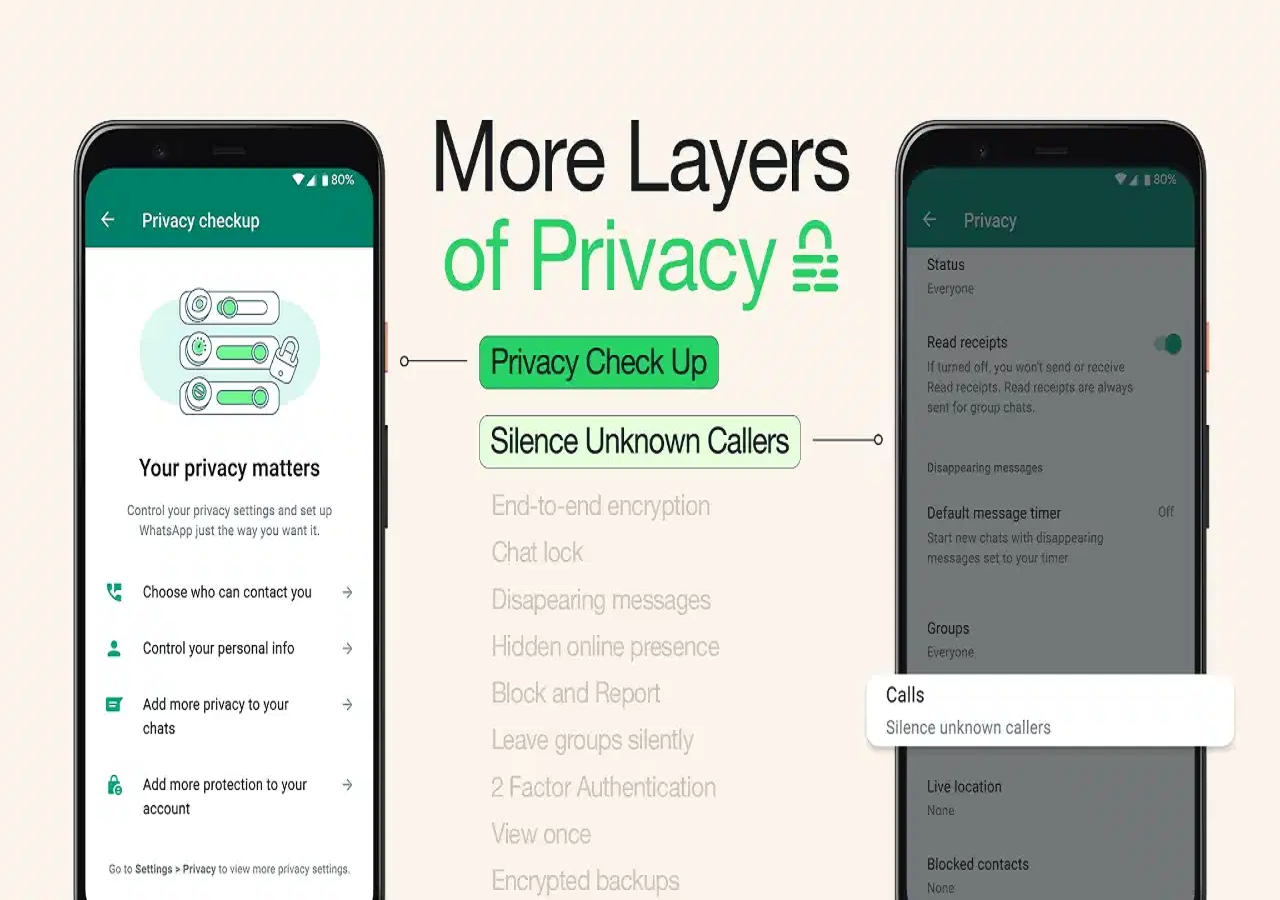
Turn On 'Silence Unknown Callers'
Another useful privacy feature is Silence Unknown Callers.
When enabled, calls from unknown numbers won't make your phone ring. This can be particularly helpful if you frequently receive unwanted calls from unfamiliar numbers.
The calls aren't completely hidden, though. You can still find information about them in the Calls tab and decide whether you want to call the person back.
How to Enable Silence Unknown Callers
To turn on the feature, open WhatsApp and go to:
Settings > Privacy > Calls > Silence Unknown Callers
Turn the option on, and calls from unknown numbers will no longer ring your phone.
Take Two Minutes to Review Your Privacy
WhatsApp's privacy controls allow you to decide how much information you want to share and with whom. Rather than leaving the default settings unchanged, take a couple of minutes to review your profile photo, last seen, online status, Status, About, Groups and call settings.
A quick privacy check can help ensure that your WhatsApp profile reveals only the information you're comfortable sharing.