WhatsApp is rapidly evolving beyond a simple messaging platform. Over the past few years, the Meta-owned app has introduced a range of AI-powered tools and creative features designed to make conversations more engaging and personalized. One of the latest additions is AI Sticker Creation, a feature that allows users to generate custom stickers directly within WhatsApp using simple text descriptions.
Instead of downloading third-party sticker apps or manually editing images, users can now create unique stickers by simply typing what they want to see. Whether it's a funny animal, a cartoon character, or a creative emoji-style design, WhatsApp's AI can generate multiple sticker options in seconds.
What Is WhatsApp's AI Sticker Feature?
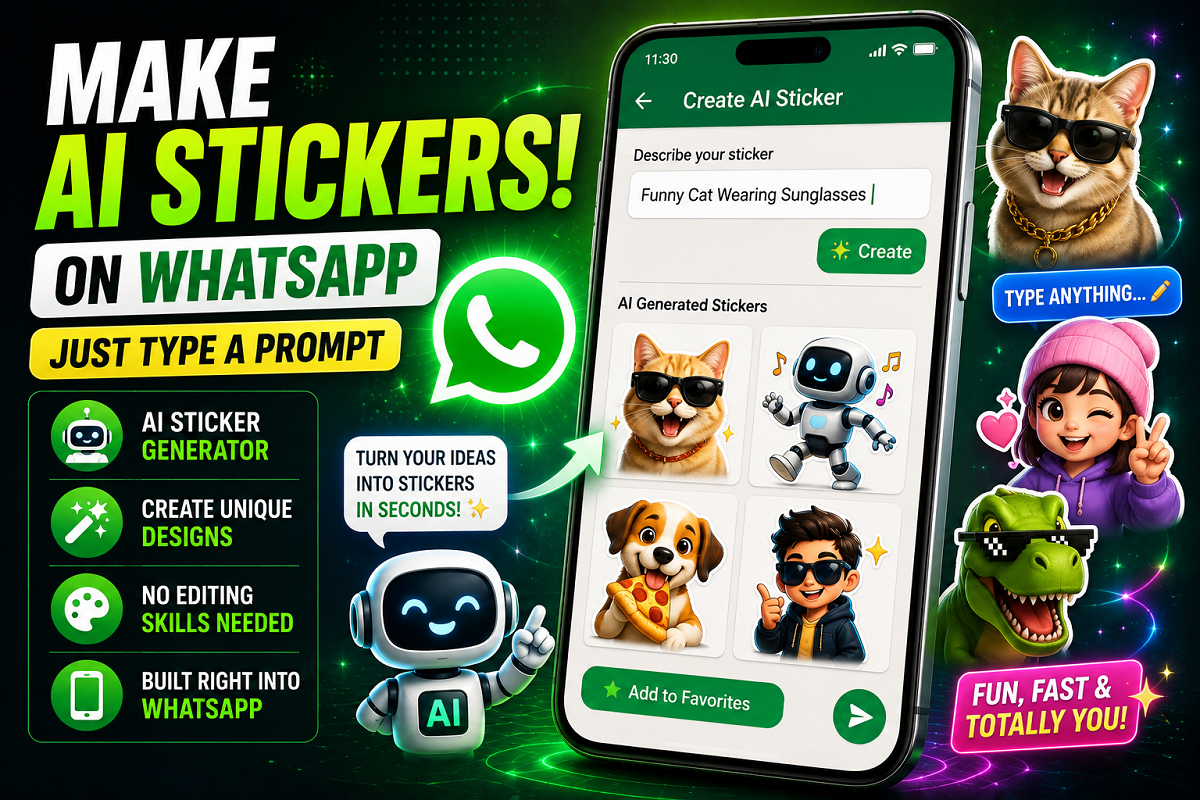
The new AI Sticker tool uses artificial intelligence to transform text prompts into custom sticker designs.
Users only need to describe the sticker they want, and WhatsApp automatically generates several options based on that description. This makes it easier than ever to create personalized stickers for chats without needing graphic design skills or additional software.
For example, you can type prompts such as:
-
"Funny cat wearing sunglasses"
-
"Happy robot dancing"
-
"Cute dog eating pizza"
-
"Cartoon astronaut riding a bicycle"
-
"Smiling panda holding coffee"
The AI will then generate multiple sticker variations that match the description.
Why This Feature Is Useful
Custom stickers have become one of the most popular ways to express emotions in chats. However, creating personalized stickers traditionally required:
-
Third-party sticker maker apps
-
Image editing tools
-
Manual photo cropping
-
"Use AI"
WhatsApp will display a Use AI button. Tap it to start generating a custom sticker.
Step 5: Enter Your Prompt
Type a short description explaining the sticker you want to create.
For example:
-
Funny Cat Wearing Sunglasses
-
Happy Robot Dancing
-
Cute Dog Eating Pizza
-
Cartoon Monkey Playing Guitar
Step 6: Generate Stickers
Tap the Create button.
Within a few seconds, WhatsApp AI will generate multiple sticker options based on your prompt.
Step 7: Send Your Favorite Sticker
Choose the sticker you like best and send it directly in the chat.
What If You Can't See the AI Sticker Option?
If the AI Sticker feature is not appearing on your device, there are a few possible reasons:
Update WhatsApp
The most common reason is that you're using an older version of the app. Visit your app store and install the latest WhatsApp update.
Feature Rollout in Progress
Meta often releases new features gradually. Some users may receive access before others.
Device Compatibility
Certain AI-powered features may be limited to supported devices and newer operating system versions.
Can You Create Stickers From Photos?
On some devices, WhatsApp also offers the ability to create stickers using personal photos.
This feature allows users to:
-
Convert images into stickers
-
Remove backgrounds automatically
-
Edit and customize sticker designs
-
Share personalized stickers instantly
Availability may vary depending on device model and WhatsApp version.
Final Thoughts
WhatsApp's AI Sticker feature is another example of how artificial intelligence is transforming everyday messaging. By allowing users to create custom stickers from simple text prompts, the platform removes the need for third-party tools while making chats more fun and expressive.
Whether you want a dancing robot, a pizza-loving dog, or a completely unique character, AI Sticker Creation makes it possible in just a few taps. As WhatsApp continues expanding its AI capabilities, users can expect even more creative tools to arrive in future updates.
-