BUSINESS
Aadhaar Update: Want to Change Your Name, Address or Date of Birth? Know Which Details Can Be Updated Online
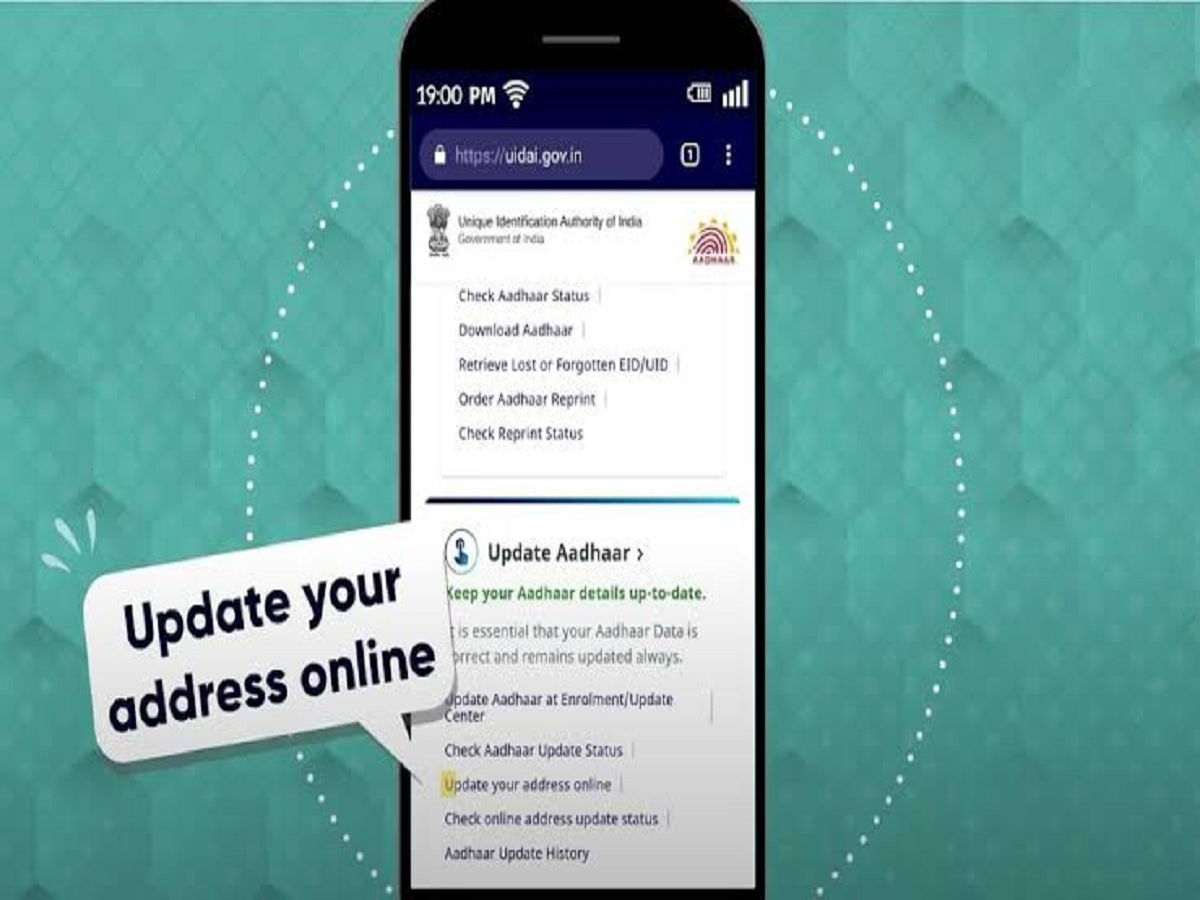
Aadhaar is used for a wide range of government, banking and financial services, so keeping the information on your Aadhaar card accurate is important. If your name, address or other details have changed, UIDAI provides different options for updating your Aadhaar information.
However, not every Aadhaar detail can be changed online. Some updates can be completed through the official online portal or Aadhaar app, while others may require a visit to an Aadhaar Enrolment and Update Centre.
Which Aadhaar details can be updated online?
UIDAI allows certain demographic details to be updated through its online services, subject to the applicable process and document requirements.
Address updates can be completed online through the MyAadhaar portal when the required supporting documents are available.
Some services are also being made available through UIDAI's newer Aadhaar app, including certain demographic updates.
Before submitting a request, make sure that the information in your supporting document matches the details you want to update.
What about name and date of birth?
Name and date-of-birth updates can have stricter requirements than an address change.
Depending on the type of correction and the applicable UIDAI rules, you may need to visit an Aadhaar centre and submit an acceptable proof document.
If there is a major discrepancy in your personal details, don't try to use unofficial websites or agents promising an instant correction.
Always check the latest list of accepted documents and update rules on the UIDAI website before submitting your request.
Mobile number update is important
Your registered mobile number is particularly important because Aadhaar-based services can use OTP authentication.
If your mobile number has changed, make sure your Aadhaar records are updated through the prescribed process.
If you cannot update a particular detail online, you may need to visit an Aadhaar centre for biometric authentication and document verification.
How to update your Aadhaar address online?
The general process is straightforward:
-
Open the official MyAadhaar website.
-
Log in using your Aadhaar number and OTP.
-
Select the relevant Aadhaar update service.
-
Enter the new information carefully.
-
Upload the required supporting document, if requested.
-
Review the information before submitting the request.
-
Pay the applicable fee, if one is charged.
-
Save the acknowledgement or service request number so you can track the update.
The exact services and fees available online can change, so check the official UIDAI portal before starting the process.
You should not update Aadhaar through random websites
Aadhaar details are highly sensitive, and fake update websites can be used to collect personal information.
Avoid clicking on Aadhaar-update links received through unknown SMS messages, WhatsApp, emails or social media posts.
Never share your Aadhaar OTP, password, bank PIN or other confidential information with an unknown person claiming to help with the update.
For Aadhaar-related services, use only official UIDAI platforms or authorised Aadhaar centres.
How long does an Aadhaar update take?
The processing time can vary depending on the type of update, verification requirements and whether the request is submitted online or at an Aadhaar centre.
Submitting a request does not necessarily mean the information will be changed immediately. UIDAI may verify the documents and information before approving the update.
You can use the acknowledgement or service request details to track the status of your request.
Check your Aadhaar details regularly
It is a good idea to check whether your Aadhaar contains your correct name, address, date of birth and other important information.
Keeping these details updated can help avoid problems when Aadhaar is used for identity verification, financial services or government-related applications.
The most important thing is to use the official UIDAI website or authorised centres and keep your acknowledgement details safely until the update is completed.