Instagram is one of the world's most popular social media platforms, with millions of users scrolling through Reels, Stories, photos, and videos every day. While most people are familiar with the app's basic features, Instagram also offers several powerful tools that often go unnoticed.
These hidden features can help users customize their profiles, improve content discovery, enhance Reels viewing, and create a more personalized experience. Whether you're a casual user, content creator, or influencer, these lesser-known Instagram tools can make the platform much more enjoyable.
Here's a closer look at five Instagram features that many users still don't know about.
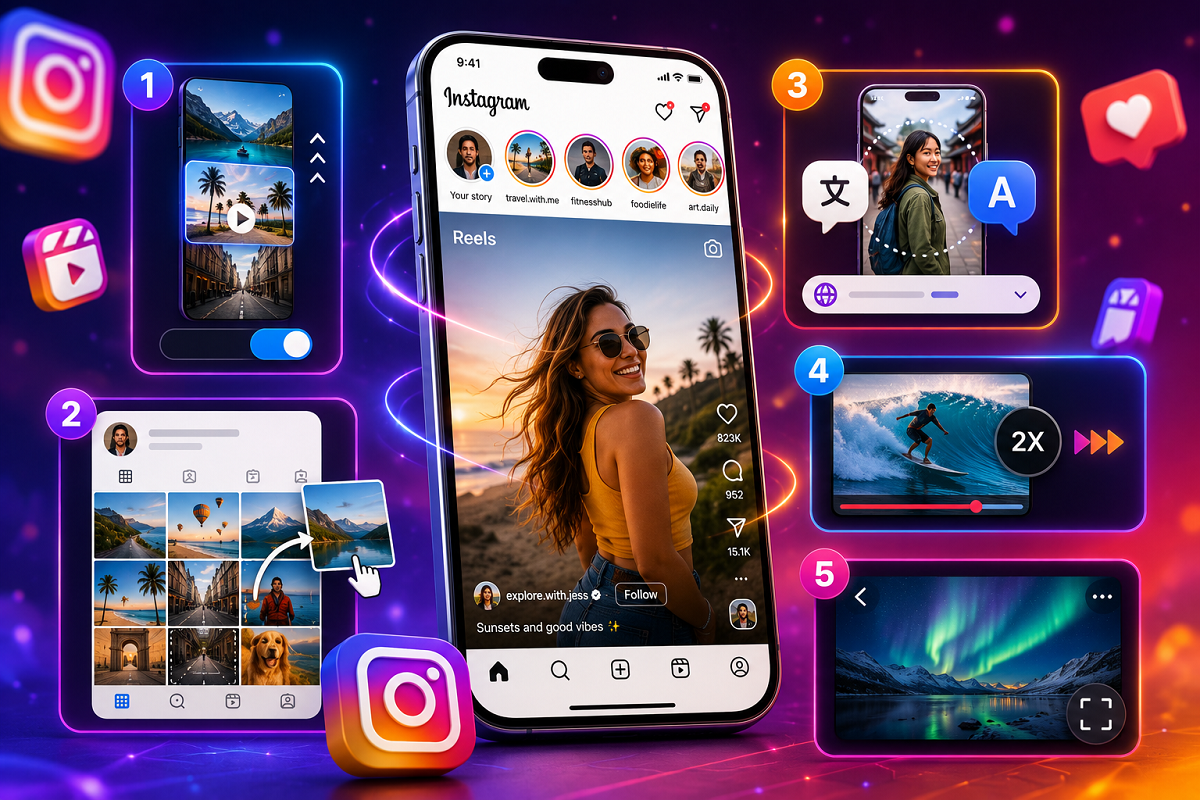
1. Auto Scroll for Reels
If you spend a lot of time watching Instagram Reels, the Auto Scroll feature can make your viewing experience much smoother.
Normally, users need to manually swipe up to move from one Reel to the next. With Auto Scroll enabled, Instagram automatically plays the next Reel once the current one ends.
How to Enable Auto Scroll
-
Open Instagram.
-
Go to the Reels section.
-
Tap the three-dot menu.
-
Select Auto Scroll.
-
Turn the feature on.
Once activated, Instagram will automatically advance through Reels without requiring manual scrolling.
2. Reorder Grid for Profile Customization
Instagram recently introduced one of its most requested features: Reorder Grid.
Previously, posts appeared on profiles based on the date they were published. Users had limited control over how their profile looked, aside from pinning a few posts.
Now, Reorder Grid allows users to rearrange photos and videos anywhere within their profile.
Why It Matters
-
Highlight older high-performing posts.
-
Create a more visually appealing profile.
-
Organize content according to themes.
-
Showcase important projects or campaigns.
How to Use Reorder Grid
-
Open your Instagram profile.
-
Press and hold the post you want to move.
-
Tap Reorder Grid.
-
Drag and drop the post to the desired position.
The changes appear instantly, giving users complete control over profile presentation.
3. Reel Language Translation Feature
Instagram also includes a built-in language option that can make international content easier to understand.
Users can change the language of supported Reels and view translated content directly within the app.
How to Change Reel Language
-
Open the Reel.
-
Tap the three-dot menu.
-
Select Language.
-
Choose your preferred language.
This feature is especially useful for users who enjoy watching content from creators around the world.
4. Speed Up Reels Instantly
Sometimes users want to watch content more quickly, especially longer Reels.
Instagram offers a simple shortcut that allows users to temporarily increase playback speed.
How It Works
Simply press and hold the edge of the Reel screen while watching a video.
When held, the Reel automatically plays at approximately 2x speed, helping users consume content faster without changing settings.
This can be particularly useful when watching tutorials, reviews, or lengthy videos.
5. Full-Screen Reels Viewing
For users who want a more immersive experience, Instagram offers a Full-Screen viewing option.
This feature removes distractions and maximizes screen space, allowing users to focus entirely on the content.
How to Activate Full-Screen Mode
-
Open a Reel.
-
Tap the three-dot menu.
-
Select View Fullscreen.
The Reel will expand for a cleaner and more engaging viewing experience.
Why These Features Matter
Instagram continues to evolve beyond simple photo sharing and has become a platform centered around personalization, content discovery, and user engagement.
Features like Auto Scroll, Reorder Grid, Language Translation, Speed Controls, and Full-Screen Viewing give users more control over how they interact with content.
These tools can help:
-
Improve content consumption.
-
Personalize profile layouts.
-
Enhance accessibility.
-
Save time while browsing.
-
Create a more enjoyable user experience.
More Hidden Features May Be Coming Soon
Instagram has been steadily introducing new customization and AI-powered tools throughout the year. From feed personalization features to profile management upgrades, the company is focusing heavily on user control and content customization.
As Instagram continues rolling out new updates, users can expect even more hidden tools designed to improve how they discover, organize, and interact with content.
For now, these five features are among the most useful yet underutilized tools available on the platform—and they could significantly improve your everyday Instagram experience.