TECH
Your Phone Can Now Detect Hidden Bluetooth Trackers Nearby: How to Find an Unknown AirTag or Tracking Device
Bluetooth tracking devices such as Apple AirTags and other smart trackers are designed to help people locate lost belongings. You can attach them to keys, bags, wallets and luggage and use a smartphone to find their approximate location.
However, these tiny devices can also be misused to track someone without their knowledge. To address this concern, modern smartphones now offer features that can alert users when an unknown Bluetooth tracker appears to be travelling with them.
Here is how this technology works and how you can check whether an unfamiliar tracking device is following you.
What Is an Unknown Tracker Alert?
An unknown tracker alert is a smartphone security feature that identifies certain compatible Bluetooth tracking devices that are separated from their owners but appear to be moving with someone else.
For example, imagine finding an unfamiliar AirTag in your bag or travelling in a vehicle with a tracking device placed inside it.
Your smartphone may detect the tracker and display an alert if the device meets the relevant detection conditions.
These alerts are designed to protect people's privacy and reduce the possibility of unwanted tracking.
How Can Android Users Detect Unknown Trackers?
Android smartphones running supported versions of Android include an unknown tracker alerts feature.
Follow these steps:
-
Open your phone's Settings.
-
Search for 'Unknown tracker alerts'.
-
Open the relevant safety setting.
-
Check whether automatic alerts are enabled.
-
If you suspect a tracker is nearby, select the option to scan manually, where available.
Android can detect supported Bluetooth trackers, including Apple AirTags and compatible devices from other manufacturers.
The exact settings and available features may vary depending on your Android version and phone manufacturer.
How Can iPhone Users Find an Unknown AirTag?
Apple has built unwanted tracking alerts into its Find My ecosystem.
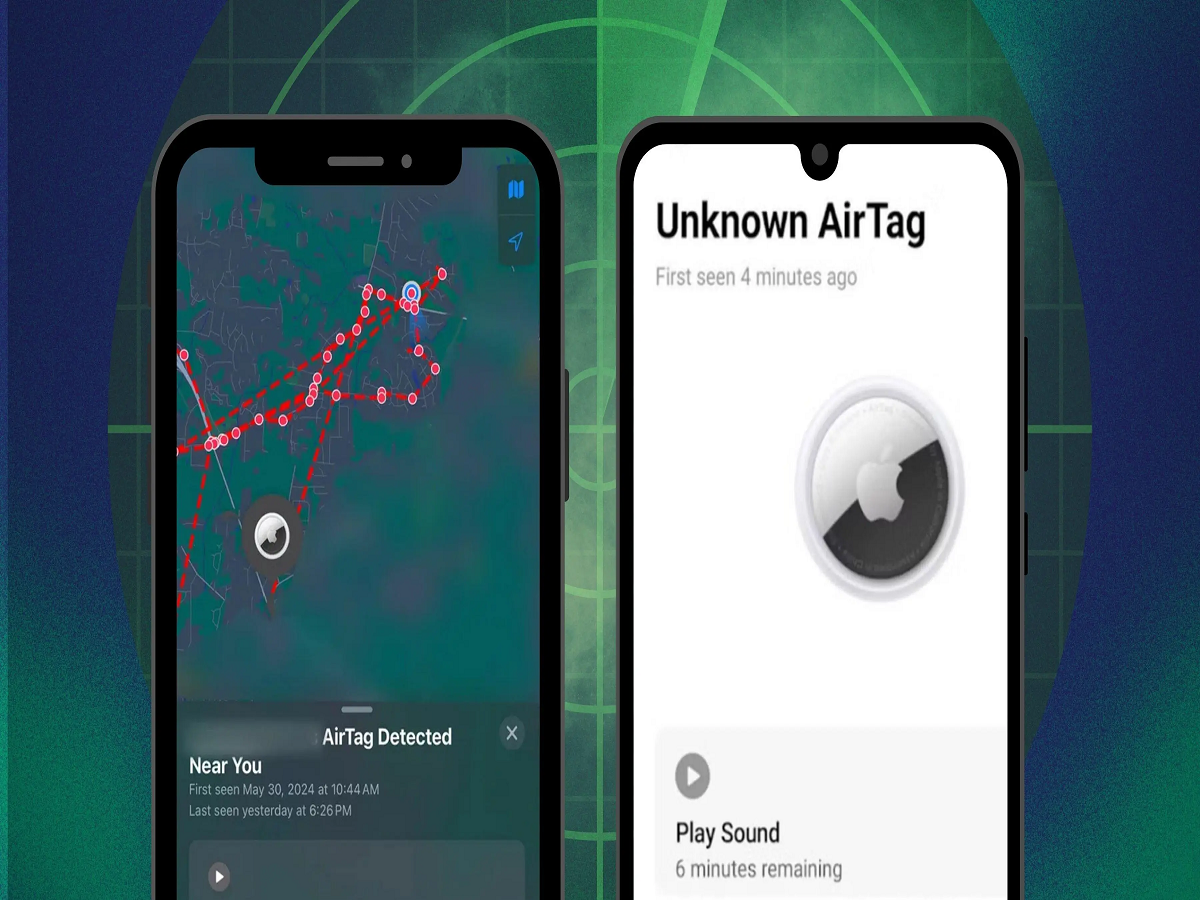
If an unfamiliar AirTag is detected moving with you over time, your iPhone may display a notification explaining that an unknown item is travelling with you.
You can then:
-
View information about the detected AirTag.
-
Check its movement history where available.
-
Play a sound to help locate it.
-
Follow supported instructions to identify and disable the device.
Apple also provides information about what to do if you discover an unknown AirTag.
What Should You Do If Your Phone Detects a Tracker?
Receiving an alert does not automatically mean someone is tracking you intentionally. You may be travelling with another person's belongings or sharing a vehicle with someone who owns a tracker.
However, if you find an unfamiliar device, take the following precautions:
-
Read the alert carefully and identify the tracker type.
-
Use the phone's available sound or location features to help locate it.
-
Check your bag, vehicle and personal belongings.
-
If you feel unsafe, move to a secure public location.
-
Save relevant information about the tracker.
-
Contact the police if you suspect stalking or deliberate tracking.
Do not rely only on Bluetooth detection to establish whether a person is following you.
Can a Tracker Be Detected If Your Phone Is on Airplane Mode?
Airplane mode does not necessarily prevent every type of tracker detection. Bluetooth settings may remain enabled or can be switched on separately, depending on the device.
Unknown tracker detection also depends on Bluetooth availability, device compatibility and the tracking technology being used.
Therefore, keeping Bluetooth and relevant safety alerts enabled can help your smartphone identify supported tracking devices.
Can You Disable an Unknown AirTag?
Yes. If you physically locate an AirTag, you can follow Apple's instructions to disable it by removing its battery.
However, simply switching off Bluetooth on your smartphone does not disable the tracking device itself.
If you believe the tracker has been placed on your belongings without permission, consider preserving its identifying information before disabling it and contacting the authorities if necessary.
Why Is This Smartphone Feature Important?
Bluetooth trackers are useful devices, but their small size makes privacy protection particularly important.
Unknown tracker alerts give smartphone users an additional layer of security by helping them identify supported tracking devices that may be moving with them.
If you use an Android phone or an iPhone, checking your unwanted tracking protection settings is a simple step that can help protect your personal privacy.