TECH
WhatsApp Username Delete: How to delete or change your username on WhatsApp? The process is very simple
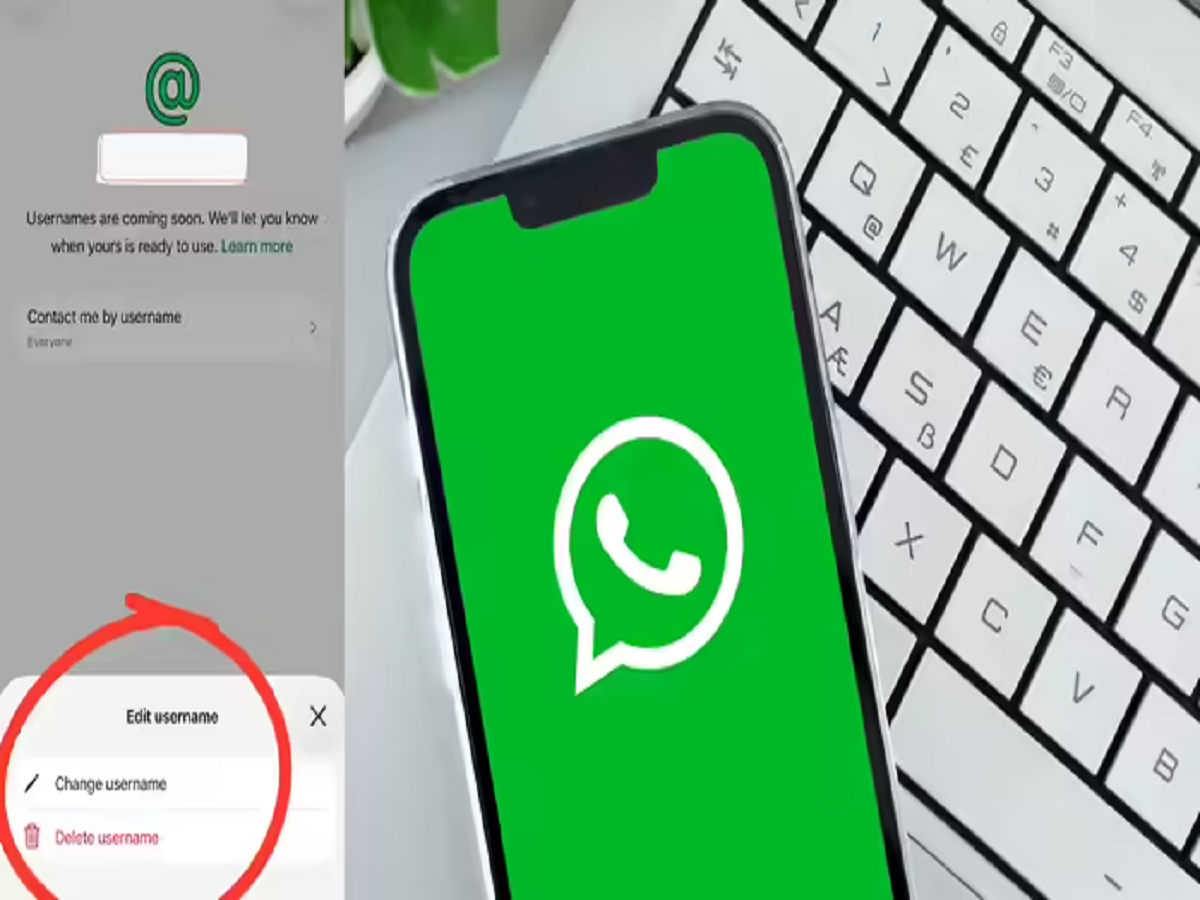
How To Delete WhatsApp Username: WhatsApp has introduced a username feature to enhance user privacy, allowing people to chat without sharing their phone number. While this feature will be fully live by the end of the year, users can reserve their preferred username in the app's settings. They also have the ability to change or delete it.
WhatsApp Username Delete: Meta-owned WhatsApp has introduced a new feature called Username for Android and iPhone users. Now users can create or reserve a username for their WhatsApp account. The purpose of this feature is to increase user privacy. Through this feature, users will be able to chat with others without sharing their phone number. Although this feature will be fully live by the end of this year, but users can book or reserve their favorite username right now. After selecting a username, if you don't like it, you can change it. Or if you don't want to keep any username for your account, you can also delete it. Read below to know the process.
Feature benefits
- People who are already in your contacts will still see your phone number. This feature is specifically designed to let you talk to new people without sharing your number.
- Keep in mind that this process isn't available on WhatsApp desktop or web. However, Meta is offering users an easier way. You can also select your Instagram and Facebook username for WhatsApp.
The feature may be banned
According to reports, the Modi government will investigate this feature. ET reports that the government may ban the feature. Legal options are being considered. There are reports on social media that people have booked usernames in the names of others, including PM Narendra Modi and WhatsApp. If this feature is misused, it could lead to fraud. Therefore, the feature may not be easily introduced in India.
How to delete?
- To delete or select a username, after opening WhatsApp , you have to click on the profile (You) appearing on the right side.
- After this, you will see your username at the top of the screen. Click on it.
- You will now see several options. Click on Username.
- Then click on the edit icon at the top right side.
- Now here you will get the option to delete or change the username.
- This way you can delete or change your username.
PC: NBT