India’s digital banking ecosystem is expanding rapidly, and millions of users now depend on mobile banking applications for everyday financial activities. Among the most widely used banking apps in the country is State Bank of India’s digital platform SBI YONO.
However, many customers continue to face confusion regarding SMS alert charges, KYC updates, OTP problems, login errors, and other issues related to SBI YONO 2.0. With the app becoming an important part of daily banking, understanding how it works has become essential for smooth and secure transactions.
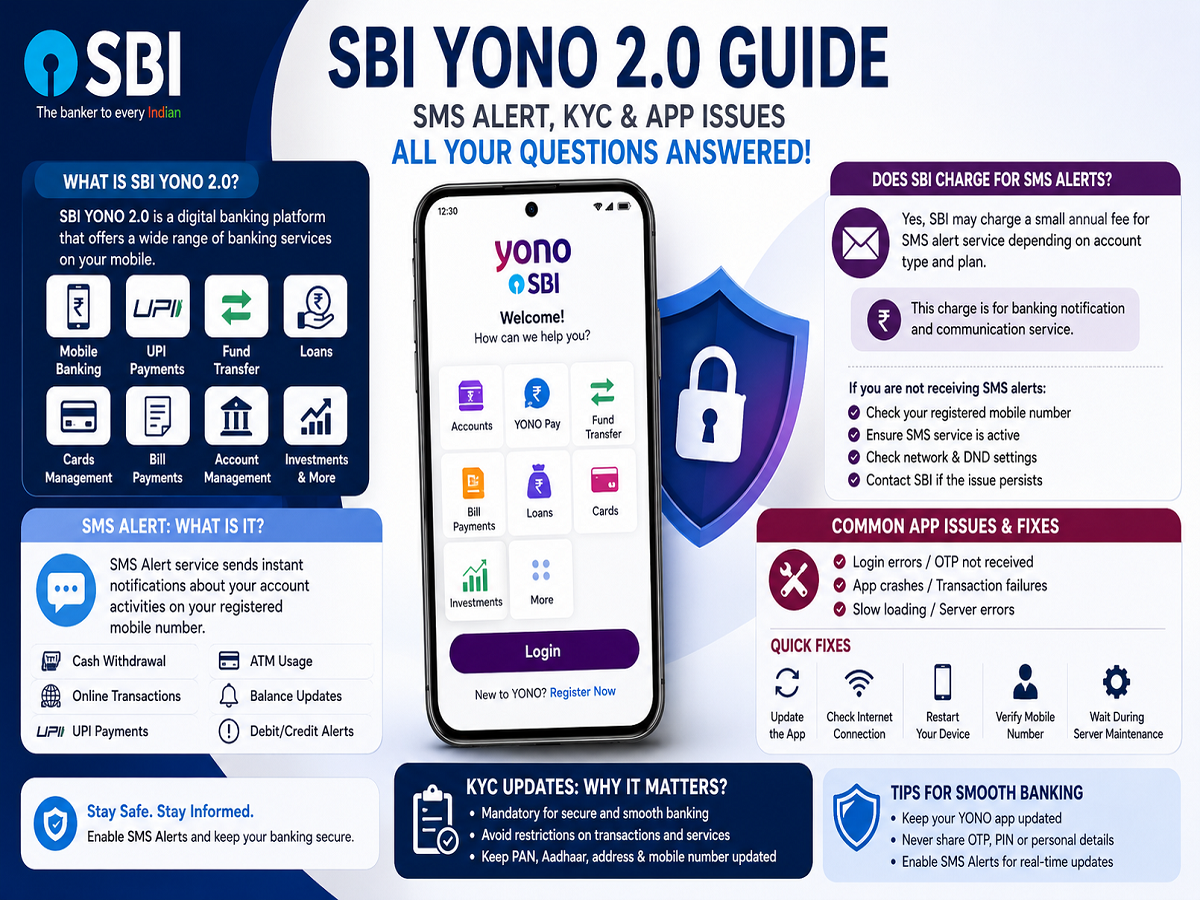
Here is a complete guide explaining the most common SBI YONO 2.0 questions and issues users often face.
What Is SBI YONO 2.0?
SBI YONO 2.0 is the upgraded digital banking platform offered by State Bank of India.
The app allows users to perform multiple banking services from a smartphone, including:
- Mobile banking
- UPI payments
- Online fund transfers
- Loan services
- Credit and debit card management
- Bill payments
- Account management
- Investment-related services
Over time, SBI has added several new features and security improvements to enhance the user experience and strengthen digital banking safety.
Today, YONO SBI is considered one of India’s most widely used banking apps because it enables customers to complete most banking tasks without visiting a physical branch.
What Is SMS Alert Service in SBI?
SMS Alert is a banking notification service linked to SBI accounts and YONO banking activities.
Whenever an important activity takes place in a bank account, SBI sends an instant SMS notification to the customer’s registered mobile number.
These alerts may include:
- Cash withdrawals
- ATM usage
- Online transactions
- UPI payments
- Balance updates
- Debit or credit notifications
- Failed transaction alerts
The feature helps customers monitor account activity in real time and quickly detect suspicious or fraudulent transactions.
Because of increasing digital fraud risks, SMS alerts have become an important security layer in modern banking.
Does SBI Charge for SMS Alerts?
Yes, SBI may charge a small annual fee for SMS alert services depending on:
- Account type
- Banking category
- Service plan
- Notification usage
Many users become confused when they notice small deductions labeled as SMS Alert charges in their accounts.
However, these charges are generally linked to the bank’s notification and communication services.
Customers who are not receiving SMS alerts should verify:
- Their registered mobile number
- SMS service activation status
- SIM network availability
- DND settings if applicable
If problems continue, users may need to contact SBI customer care or visit the nearest branch.
Common Problems Faced in SBI YONO App
Although SBI YONO is widely used, users sometimes experience technical issues while accessing the app.
Some of the most common complaints include:
- Login errors
- OTP not received
- App crashing
- Transaction failures
- Slow loading
- Fingerprint authentication problems
- Server connection errors
In most cases, these issues occur due to:
- Weak internet connection
- Outdated app version
- Temporary server maintenance
- Incorrect mobile number linkage
- Phone software compatibility issues
How to Fix SBI YONO Login and App Problems
Users facing issues in SBI YONO can try several basic troubleshooting steps before contacting support.
1. Update the App
Using an outdated app version can create compatibility and security issues. Users should regularly update YONO from the:
- Google Play Store
or - Apple App Store
2. Check Internet Connection
A slow or unstable internet connection can interrupt OTP verification and transactions.
3. Restart the Device
Restarting the smartphone often resolves temporary glitches and app freezing problems.
4. Verify Registered Mobile Number
The SIM linked with the bank account should remain active and inserted in the device being used.
5. Wait During Server Maintenance
Sometimes SBI temporarily suspends certain services during scheduled maintenance or system upgrades.
Why KYC Updates Are Important
KYC, or Know Your Customer verification, remains a mandatory banking requirement.
If KYC details are outdated or incomplete, users may face:
- Transaction restrictions
- Account limitations
- App login issues
- Banking service interruptions
Customers should ensure that:
- PAN details are updated
- Aadhaar information is correct
- Mobile number is active
- Address proof is current
SBI allows many KYC-related services through branches, online banking, and in some cases via YONO itself.
Digital Banking Becoming More Important
With India’s growing digital economy, apps like SBI YONO have become essential for everyday financial management.
Users now rely on mobile banking for:
- Paying bills
- Sending money
- Shopping online
- Managing investments
- Accessing loans
- Tracking transactions
As digital banking usage increases, awareness about app security, SMS alerts, KYC rules, and troubleshooting methods is becoming equally important.
Understanding these features can help users avoid confusion, improve account safety, and use banking services more efficiently.