In recent years, the Government of India made it mandatory to link your Permanent Account Number (PAN) with your Aadhaar card. Missing the official deadlines set by the Income Tax Department results in your PAN card becoming inoperative (deactivated).
An inoperative PAN card can halt your daily financial life—blocking you from opening bank accounts, investing in mutual funds, maintaining fixed deposits, or filing your Income Tax Returns (ITR).
Here is a utility guide on how to check your linkage status and the step-by-step process to reactivate your PAN card online.
Why Having an Active PAN Matters
When a PAN turns inoperative, the financial consequences are immediate:
-
Higher Tax Deductions: Tax Deducted at Source (TDS) and Tax Collected at Source (TCS) are levied at the highest permissible rates (often 20%).
-
Banking Restrictions: You cannot conduct transactions exceeding ₹50,000, open new savings accounts, or apply for credit cards.
-
ITR Penalties: You cannot file your income tax returns, and any pending tax refunds due to you will be legally withheld.
Step 1: How to Check Your PAN-Aadhaar Link Status
Before paying any penalties, check whether your cards are already linked through the official Income Tax e-Filing portal. You do not even need to log into an account to check this.
-
Go to the official website: incometax.gov.in/iec/foportal/
-
On the homepage, navigate to the Quick Links section on the left side.
-
Click on Link Aadhaar Status.
-
Enter your 10-digit PAN and your 12-digit Aadhaar Number in the designated fields.
-
Click on the View Link Aadhaar Status button.
What the Result Means:
If linked: A pop-up message will display: "Your PAN is already linked to given Aadhaar." No further action is required.
If not linked: The system will state that the PAN is not linked, meaning your card is currently inoperative or at risk.
Step 2: How to Link and Reactivate Your PAN Card
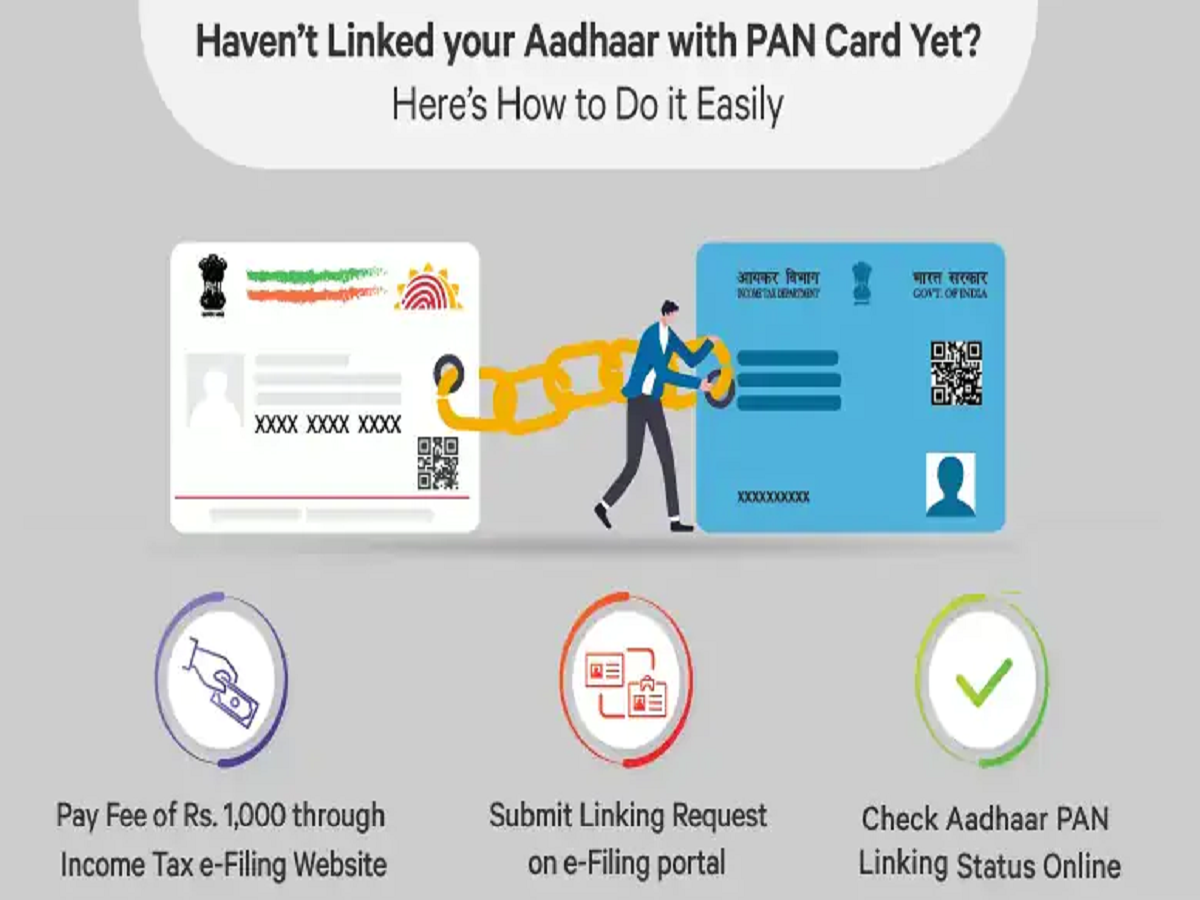
If your PAN has been deactivated due to non-linkage, the government allows you to reactivate it online after paying a standard statutory penalty fee of ₹1,000 under Section 234H of the Income Tax Act.
Phase A: Paying the Penalty Fee via e-Pay Tax
-
On the e-Filing homepage, click on Link Aadhaar under the Quick Links menu.
-
Enter your PAN and Aadhaar details, then click Validate.
-
A pop-up will appear prompting you to pay the fee through e-Pay Tax. Click Continue.
-
Enter your PAN again, confirm it, and provide your mobile number to receive a one-time password (OTP).
-
Once the OTP is verified, select the Income Tax tile and click Proceed.
-
Choose the current Assessment Year and select the Type of Payment as Other Receipts (500).
-
The system will automatically auto-populate the fee amount of ₹1,000 under the "Others" column. Complete the payment using Net Banking, Debit Card, UPI, or Credit Card.
Phase B: Submitting the Linking Request
Crucial Wait Time: After successfully completing the payment, wait for 4 to 5 working days for the tax department to receive and validate the payment challenge from your bank.
-
After the waiting window, log back into the Link Aadhaar section on the Income Tax portal.
-
Enter your PAN and Aadhaar details again and hit Validate.
-
The portal will now display a message stating "Your payment details are verified." Click Continue.
-
Enter your full name and mobile number exactly as they appear on your Aadhaar card.
-
Check the relevant tick-boxes (e.g., if you only have the birth year on your card) and click Link Aadhaar.
-
Enter the final OTP sent to your phone to complete the request.
What if the Linkage Fails? (Name/DOB Mismatch)
The most common reason a linking request gets rejected is a demographic data mismatch—where your name, gender, or date of birth differs between your PAN and Aadhaar records.
If this happens, your transaction fee will not be refunded. You must rectify the error at the source before trying again:
-
To fix Aadhaar details: Visit an official UIDAI Aadhaar Enrolment Centre or use the online myAadhaar portal.
-
To fix PAN details: Apply for a correction online through the official NSDL (Protean) or UTIITSL websites.