BUSINESS
EPFO Passbook 2026: How much money is in your PF account? Check your balance and company contribution from home
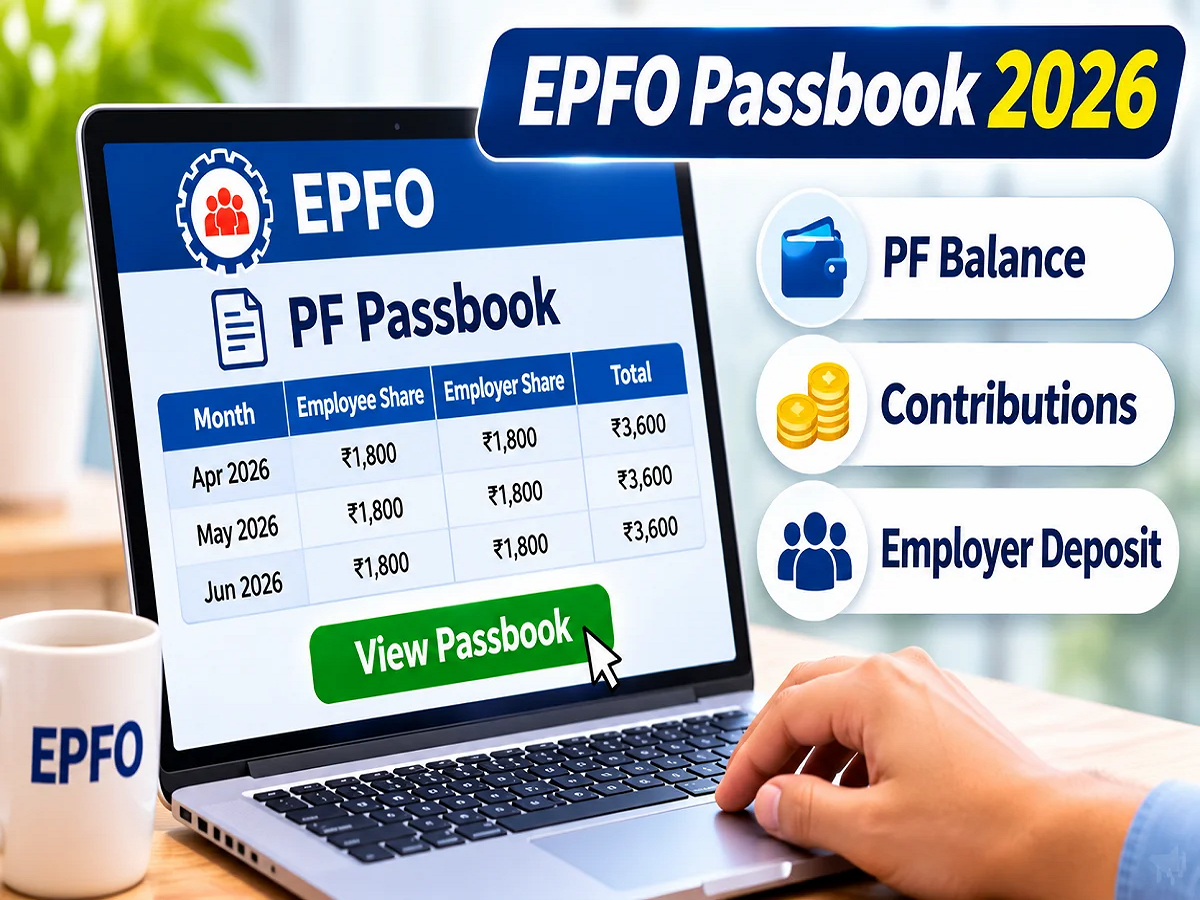
EPFO Passbook Check 2026: If you are employed and your Provident Fund (PF) money is deducted from your salary every month, it is important to know how much money has been deposited in your account so far. The Employees' Provident Fund Organisation (EPFO) has urged members to understand their EPF passbook and check it regularly. The EPF passbook contains information related to the employee's contribution, the amount deposited by the employer, interest, and the total amount deposited in the account. Importantly, PF account holders can check their passbook from home through an online portal. Let's understand the complete process.
EPFO gives important advice to PF account holders
The Employees Provident Fund Organisation (EPFO) in its official social media message has informed the members about the EPF passbook.
The objective of the organization is to make the employees understand how they can get information about the amount deposited in their provident fund account.
PF is an important long-term savings scheme for employed individuals. Both the employee and the employer contribute according to prescribed rules.
The amount accumulated in the account over time and the interest earned on it can help in meeting future financial needs.
Therefore, employees should not be satisfied by just seeing the PF deduction in the salary slip, but should also check the amount deposited in the passbook from time to time.
What is EPF Passbook?
EPF passbook is a digital financial record of the Employees Provident Fund account.
It contains information about contributions and other transactions related to the account.
With the help of passbook, employees can check whether the PF amount deducted from their salary has been deposited in the account or not.
Apart from this, details of contributions made by the employer can also be seen.
Information like interest, withdrawal, transfer and account balance can also be displayed as per the records available in the passbook.
If the employee has worked in different companies, the passbooks of different member accounts linked to his UAN may be available separately.
What information is visible in EPFO Passbook?
The EPF passbook contains several important details that help employees understand the status of their savings.
|
Employee Contribution |
PF amount deposited by the employee |
|
Employer Contribution |
Employer's contribution to EPF account |
|
Pension Contribution |
Contribution to EPS as per applicable rules |
|
Interest |
interest recorded in the account |
|
Withdrawal |
Amount withdrawn from PF account |
|
Transfer |
Amount transferred from another member account |
|
Closing Balance |
Available balance at the end of the relevant period |
Keep in mind that the amount shown in the passbook is not the same as the total retirement benefit. Employee Pension Scheme (EPS) contributions may be recorded separately and cannot be withdrawn like a normal EPF balance.
How to check EPFO Passbook online? Learn the step-by-step process
If your UAN is active and you have the login details, you can view your PF passbook by following the steps mentioned below.
Step 1: Open the official passbook website of EPFO
First of all open the internet browser in mobile or computer.
After this go to the official passbook website of EPFO.
Website: https://passbook.epfindia.gov.in/
Here members will get the option to login.
Step 2: Enter UAN and password
Now enter your Universal Account Number i.e. UAN.
After this, enter the relevant password and the captcha code displayed on the screen.
Login by completing the required verification.
Step 3: Select the relevant PF Member ID
After successful login, the details of member accounts linked to your UAN may be visible.
If you have worked for more than one company, different Member IDs may be available.
Select the account for which you want to view the information.
Step 4: View Passbook Details
Now open the passbook of the selected account.
Here you can check the details of employee and employer contribution.
Apart from this, information about interest and other transactions can also be viewed as per the available records.
Step 5: Download EPF Passbook
If the download option is available on the portal, you can save the PDF file of the passbook on your mobile or computer.
This can make it easier to check old contribution and account records in the future if needed.
How much contribution is made to PF by the employee and the company?
Generally, under EPF, an employee contributes 12 percent of his eligible salary.
The employer also makes contributions as per applicable rules.
However, the entire employer's contribution is not credited to the employee's EPF balance.
A part of it can go towards the Employees' Pension Scheme (EPS) for eligible employees.
For example, if an employee's eligible monthly salary is ₹15,000 and the normal 12 per cent contribution is applicable, the employee's EPF contribution will be ₹1,800.
The employer's prescribed contribution can also be ₹1,800, but it will be divided as per the applicable EPF and EPS rules.
Therefore, the amount of EPF contribution of the employee and the employer may appear different in the passbook.
How to check interest details in PF Passbook?
Interest is paid on the eligible amount deposited in the Employees Provident Fund account as per the rate fixed by the Government for the respective financial year.
The calculation of interest and its entry in the account is done as per the prescribed procedure of EPFO.
Sometimes the interest amount is not reflected immediately in the passbook because it is posted later.
In such a situation, merely because the interest entry is not visible, it should not be concluded that the employee will not get the interest.
Members can check interest details and official notifications of EPFO available in the passbook.
How will we know if the company is not depositing PF money?
It is also important for employees to regularly check their EPF passbook as it helps them understand the status of their employer's contribution.
If PF deduction is visible in the salary slip but the contribution for the relevant period is not recorded in the passbook, then the status of the record should be checked first.
Sometimes it may take some time for the contribution entry to be updated.
If the relevant amount does not appear for a long time, contact the company's HR or payroll department.
If needed, a complaint can be lodged on EPFO's official complaint portal EPFiGMS.
Grievance Portal: https://epfigms.gov.in/
Can PF balance be checked from mobile also?
Yes, EPFO also provides various digital services to its members through mobile.
Eligible members can access their account information using EPFO services available on the UMANG app.
This may require completing the necessary login and identity verification process.
Apart from the mobile app, the official passbook portal can also be used.
Please note that some passbook and balance related services may be different for special category institutions or members of exempted provident fund trusts.
What to do if PF Passbook is not opening?
At times, members may face difficulty in logging in to the passbook portal or viewing the details.
In such a situation, first check whether your UAN is active or not.
After this enter the correct password and captcha.
If the password is not remembered, the password reset process available on the EPFO member portal can be used.
If there is a technical problem, please try again after some time.
If the problem persists, the official support services of EPFO can be contacted.
How often should one check EPFO Passbook?
It can be a good financial habit for employees to check their PF passbook regularly.
It is especially useful to check the records every month after receiving the salary and depositing the contribution from the employer.
This allows employees to understand whether contributions are being recorded correctly in the account.
It can also be beneficial to check the passbook before changing jobs, transferring PF or applying for withdrawal.
However, the time taken for the passbook entries to be updated may vary.
EPFO account holders should keep these security points in mind
The amount deposited in your PF account is a significant part of your savings, hence, it is important to protect your UAN and password.
Do not share your UAN password or OTP with any unknown person.
Use only the official EPFO website or certified government app to check PF balance.
Avoid entering your personal information on suspicious links sent via social media or messages.
Also beware of fake calls and messages in the name of EPFO services.
Conclusion
EPF passbook is an important digital record for salaried employees to understand the status of their provident fund savings.
Through this, employees can get information about their contributions, employer's deposits, interest and other available transactions.
EPFO has also encouraged members to understand the importance of passbook and stay updated with their account details.
Therefore, employees should check their PF passbook from time to time, so that any possible error or contribution related problem can be identified in time.
Source Credit: Employees' Provident Fund Organisation (EPFO), Official Social Media Awareness Message – EPF Passbook Awareness, November 2026. Official References: EPFO – https://www.epfindia.gov.in/ and EPF Passbook Portal – https://passbook.epfindia.gov.in/
https://www.iforex.in/landing_pages/br1/hi/DoubleYourBalance